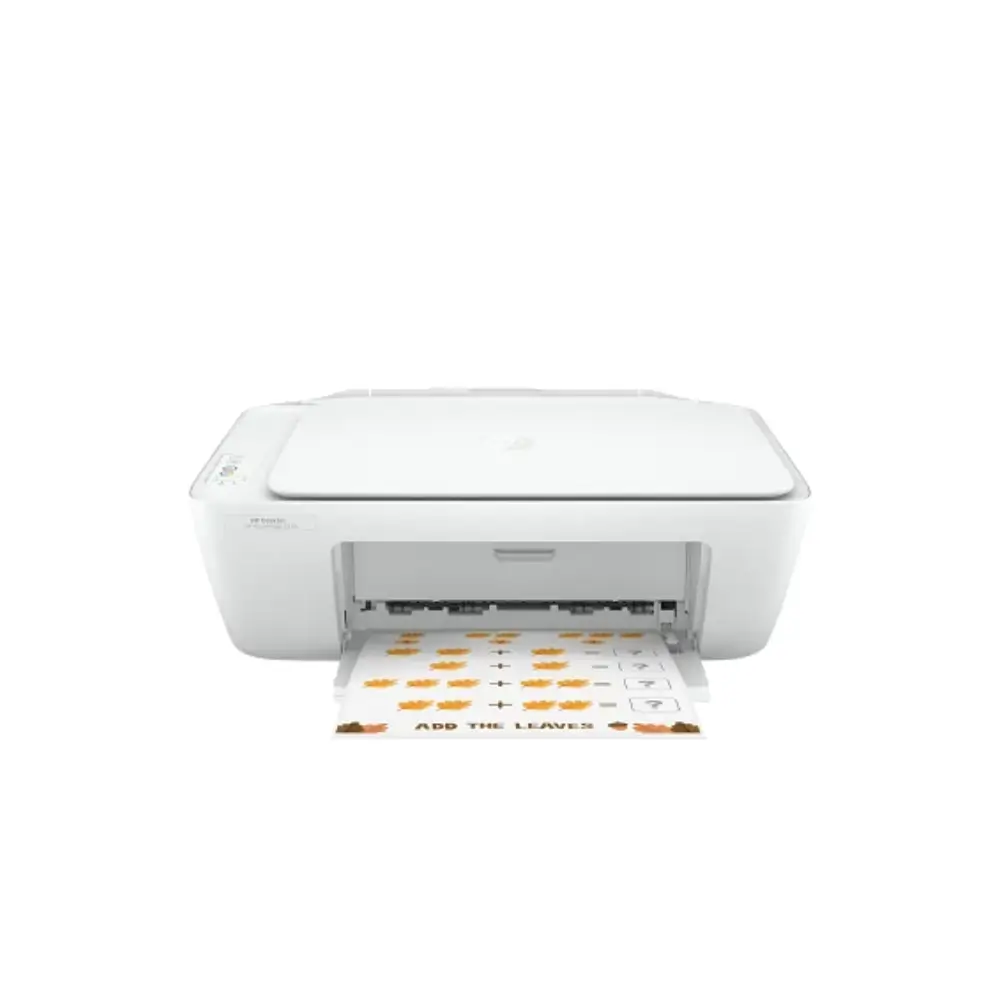
HP DeskJet Ink Advantage 2336 Color Inkjet Printer
৳9,300
Good to know
- 7 days replacement warranty
- Cash on delivery available
- Ask on WhatsApp
Specifications
| Brand | HP |
|---|---|
| Model | DeskJet Ink Advantage 2336 |
| MPN | 7WQ05B |
| Printer Type | Multi Function Color Ink Printer |
| Functions | Print, Scan, Copy |
| Output Color | Color |
| Print Technology | HP Thermal Inkjet |
| Print Speed | Black: 7.5 ppm, Color: 5.5 ppm |
| Print Resolution | 1200 x 1200 dpi |
| First Print Out Time | 15 sec (Black), 18 sec (Color) |
| Duty Cycle (Monthly, A4) | Up to 1000 pages |
| Duplex | Manual |
| Copy Resolution | 600 x 300 dpi |
| Scan Resolution | 1200 x 1200 dpi |
| Scan Paper Size | A4 (Max.) |
| Print Paper Sizes | A4, B5, A6, DL envelope, Letter, Legal |
| Paper Size (Min / Max) | A6 / Legal |
| Paper Type | Plain paper, Photo paper, Brochure paper |
| Paper Weight | 60 to 90 g/m² |
| Input Capacity | 60 sheets |
| Output Capacity | 25 sheets |
| Connectivity | 1 x Hi-Speed USB 2.0 |
| Power | 100 to 240 VAC (±10%), 50/60 Hz (±3 Hz) |
| Power Consumption | 1.83 watts (Ready) |
| Dimensions | 425.2 x 149.1 x 304.1 mm |
| Weight | 3.42 kg |
| Color | White |
| Cartridges | HP 682 Black (about 480 pages), HP 682 Tri-color (about 150 pages) |
| Software Support | Windows 7, 10 |
| Warranty | 1-year limited warranty |
Description
The HP DeskJet Ink Advantage 2336 All-in-One Color Printer brings printing, scanning, and copying into one compact machine. It suits anyone who wants dependable everyday output without a bulky setup. A single device replaces three separate ones, which saves desk space and keeps daily paperwork simple.
If you are looking for a trusted hp printer for home, study, or a small office, this model covers the basics well. It uses HP Thermal Inkjet technology with up to 1200 x 1200 dpi print resolution. That gives you clear text documents and colorful pages for assignments, forms, and everyday tasks.
It connects through a Hi-Speed USB 2.0 port and supports common paper sizes, including A4, Legal, Letter, and envelopes. A monthly duty cycle of up to 1000 pages makes it a practical choice for light to moderate use.
Key Features
All-in-one functionality (Print, Scan, Copy): Handle documents, assignments, and paperwork from one device instead of buying separate machines.
HP Thermal Inkjet technology with 1200 x 1200 dpi print resolution: Get sharp text and clear color prints for reports, school projects, and everyday documents.
Print speed up to 7.5 ppm (black) and 5.5 ppm (color): Suitable for regular home and small office printing without long waits on short documents.
First page out in about 15 seconds (black) and 18 seconds (color): You get your first page quickly when you only need a single printout.
Scan resolution of 1200 x 1200 dpi and copy resolution of 600 x 300 dpi: Digitize documents and make quick copies of certificates, forms, and receipts.
Monthly duty cycle of up to 1000 pages (A4): Built for light to moderate workloads, so it fits home offices, students, and small shops.
Manual duplex printing: Print on both sides of the paper to reduce paper use when needed.
60-sheet input tray and 25-sheet output tray: Load a reasonable batch of paper at once and collect your prints neatly.
Wide paper support (A4, B5, A6, DL envelope, Letter, Legal): Print documents, small photos, and envelopes on plain, photo, or brochure paper from 60 to 90 g/m².
Hi-Speed USB 2.0 connectivity: Connect directly to your computer for a simple, stable setup.
Compact build (425.2 x 149.1 x 304.1 mm, 3.42 kg): Fits comfortably on a desk or shelf and is easy to move when needed.
Low power consumption (1.83 watts in Ready mode): Keeps energy use modest during everyday operation.
Why Choose the HP DeskJet Ink Advantage 2336 All-in-One Color Printer
The HP DeskJet Ink Advantage 2336 All-in-One Color Printer is a practical choice if you want one reliable machine for the three most common office tasks. You can print assignments, scan important documents, and photocopy IDs or certificates without visiting a print shop. That saves time and money over the long run.
It is also easy to live with. The compact body fits small desks, and the USB connection means no network setup. For students, freelancers, and small business owners, a well-known hp printer like this one gives you a trusted brand name, easy-to-find cartridges, and a straightforward way to handle daily paperwork.
Cartridge availability is another advantage. This printer uses the HP 682 Black cartridge (about 480 pages) and the HP 682 Tri-color cartridge (about 150 pages), so refills are simple to identify and order.
Best Use Cases
Students: Print assignments and scan notes.
Home office: Handle bills, forms, and documents.
Small shops: Make quick copies and print receipts or letters.
Freelancers: Print contracts and scan signed documents.
Technical Specifications
Compatibility
Supported operating systems: Windows 7 and Windows 10.
Supported cartridges: HP 682 Black and HP 682 Tri-color. Please make sure your existing cartridge model matches before buying a new one.
Connection: Wired, through a Hi-Speed USB 2.0 port.
Warranty
7 days replacement warranty
Read the warranty policyReviews
Frequently asked questions
What does the HP DeskJet Ink Advantage 2336 do?
It is an all-in-one color inkjet printer that can print, scan, and copy.
What is the print speed of the HP DeskJet 2336?
It prints up to 7.5 pages per minute in black and 5.5 pages per minute in color.
Which cartridges does the HP DeskJet Ink Advantage 2336 use?
It uses the HP 682 Black cartridge (about 480 pages) and the HP 682 Tri-color cartridge (about 150 pages). Confirm that your existing cartridge model matches before purchasing.
How do I connect this HP printer to my computer?
It connects through a Hi-Speed USB 2.0 port. A USB cable connection is the supported method for this model.
Hp Store
More in-stock picks from this brand

HP DeskJet 2320 All-in-One Color Inkjet Printer with 60-Sheet Input Tray
৳9,780

HP XXJ2 Pen-Style Digital Voice Recorder with 64GB Storage
৳5,290

HP 32A (CF232A) LaserJet Imaging Drum Unit (23,000 Pages)
৳14,480

HP 19A CF219A LaserJet Imaging Drum Unit (12,000 Pages)
৳11,990

HP GT51 GT52 Printhead 2-Pack Kit for Ink Tank Printers
৳3,480

HP M0H50A Tri-Color Printhead for Ink Tank Printers
৳1,990

HP X4E75A Black Ink Tank Printhead Replacement
৳1,990

HP 67 Tri-Color Original Ink Cartridge (3YM55AA)
৳1,940


