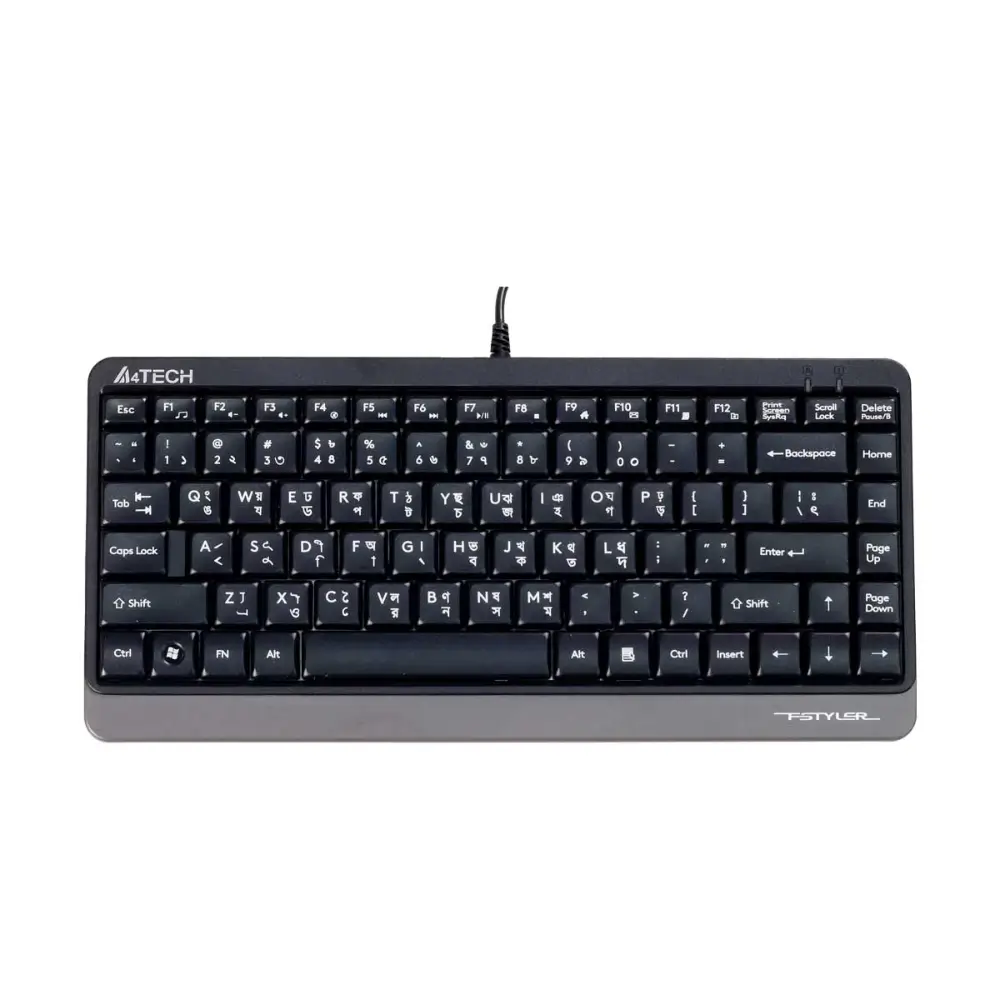
A4Tech FK11 USB Mini Keyboard with Bangla and 12 Multimedia Hotkeys
৳889
Good to know
- 7 days replacement warranty
- Cash on delivery available
- Ask on WhatsApp
Specifications
| Brand | A4Tech |
|---|---|
| Model | FK11 |
| Type | Mini Keyboard |
| Connection | Wired |
| Interface | USB |
| Keycaps | Sleek Round-Square |
| Hotkeys | 12 Multimedia Hotkeys (Fn + F1 to F12) |
| Character Printing | Laser Engraving |
| Key Membrane | High-Elasticity Silicon |
| Splash Proof | Yes (Drain Holes Design) |
| Adjustable Keyboard Legs | Yes |
| Rating | 5 V / 100 mA |
| Cable Length | 150 cm |
| System Requirements | Windows 7 / 8 / 8.1 / 10 |
| Color | Black |
| Warranty | 1 Year |
Description
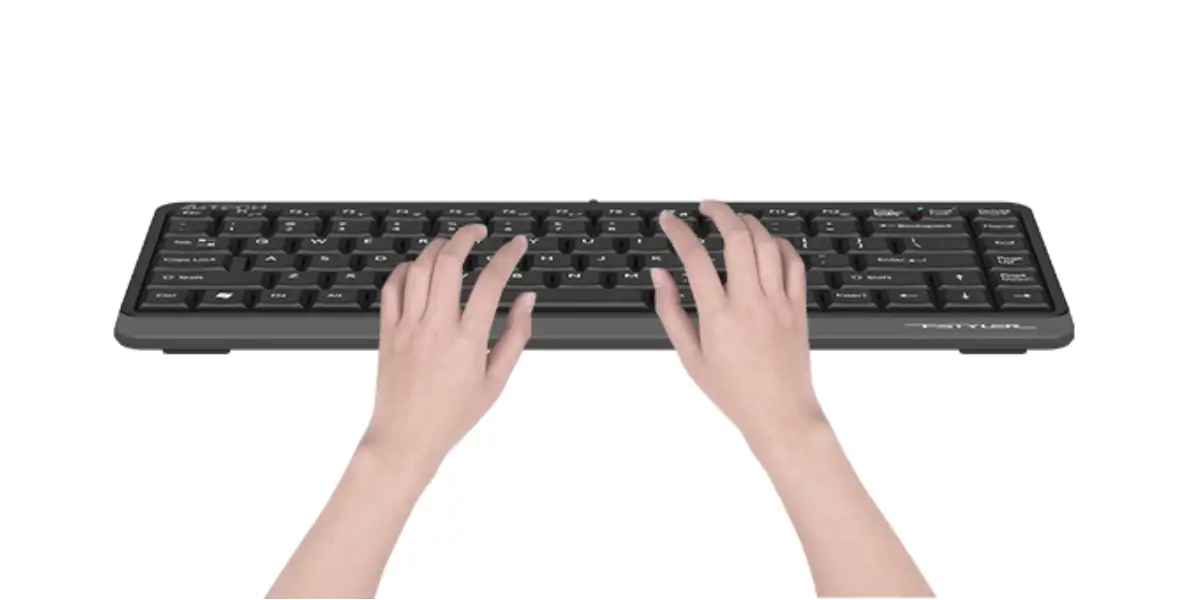
The A4Tech FK11 is a compact USB mini keyboard with Bangla key inscriptions, built for comfortable everyday typing. Its sleek round-square keycaps and high-elasticity silicon membrane give a smooth, accurate typing feel, whether you write in English or Bangla.
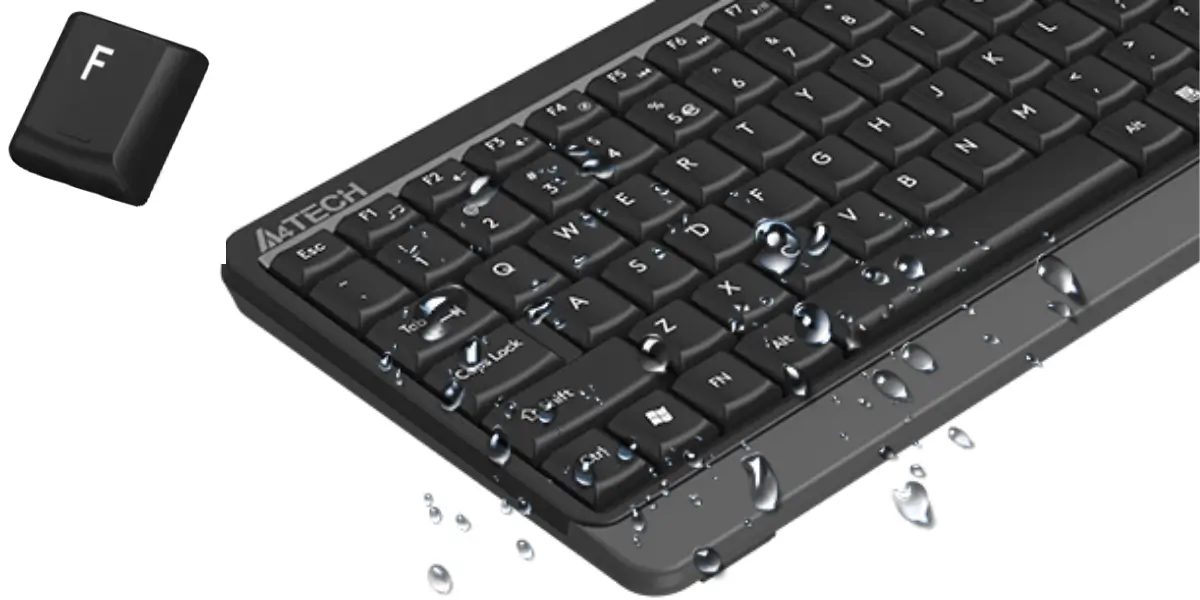
If you are looking for a reliable a4tech keyboard that saves desk space and handles spills, the FK11 is a practical choice. Drain holes help protect it from accidental liquid spills, which makes it a good fit for homes, offices, and study desks.
Twelve multimedia and internet hotkeys (Fn + F1 to F12) give you quick access to common functions, and the laser-engraved characters are designed so key labels do not wear off.
Key Features
- Compact mini keyboard design: Takes up less desk space, so you have more room for your mouse, notebook, or other work items.
- Bangla key inscriptions: Lets you type in Bangla and English without a separate layout sticker, which is useful for office, school, and official work.
- Sleek round-square keycaps: Enhance the typing area for more accurate keystrokes and a comfortable feel.
- High-elasticity silicon membrane: Gives a fresh, comfortable typing experience with responsive key return.
- Drain holes design (splash proof): Helps liquid drain away from the keyboard, protecting it from accidental spills.
- 12 multimedia hotkeys (Fn + F1 to F12): Provide one-touch access to multimedia and internet functions, saving time on everyday tasks.
- Laser-engraved characters: Keep key labels clear and long-lasting, so you never lose key identity.
- Adjustable keyboard legs: Let you set a typing angle that suits your posture and desk height.
- 150 cm USB cable (5 V / 100 mA): Offers a stable wired connection with no batteries or charging, and enough length for most desktop setups.
Why Choose the A4Tech FK11 USB Mini Keyboard
The FK11 is simple, dependable, and easy to use. Plug it into a USB port and start typing. There are no batteries to replace and no pairing to manage, so it works well for daily use at home, in the office, or in a classroom.
The Bangla key inscriptions are a real advantage for users in Bangladesh, and the drain holes add peace of mind if you drink tea or coffee at your desk. As an a4tech keyboard, it brings a trusted brand name, a 1-year warranty, and a compact size at a value-focused level.
The 12 multimedia hotkeys also help you control media and internet functions quickly, without reaching for the mouse.
Best Use Cases
- Home and office: Compact typing for documents, email, and browsing, with Bangla support.
- Students: Easy plug-and-play typing for assignments and online classes.
- Small desks and shared spaces: The mini size saves valuable desk space.
- Media and internet control: Hotkeys give quick access to common functions.
Compatibility
- Supported operating systems: Windows 7, Windows 8, Windows 8.1, and Windows 10
- Connection: Standard USB port
Warranty
7 days replacement warranty
Read the warranty policyReviews
Frequently asked questions
What is the A4Tech FK11?
It is a wired USB mini keyboard with Bangla key inscriptions, round-square keycaps, 12 multimedia hotkeys, and a splash-proof drain holes design.
Does the A4Tech FK11 have Bangla keys?
Yes. The FK11 comes with Bangla characters on the keys, so you can type in Bangla and English.
Is this a4tech keyboard splash proof?
Yes. The drain holes design helps prevent damage from accidental liquid spills. It is still best to wipe up spills quickly.
How do the multimedia hotkeys work?
Press Fn together with F1 to F12 to access 12 multimedia and internet functions with one touch.
Which operating systems does the FK11 support?
The listed system requirements are Windows 7, 8, 8.1, and 10.
A4tech Store
More in-stock picks from this brand

A4tech Bloody WS98 Tri-Mode Wireless Mechanical Keyboard
৳7,200

A4Tech Fstyler FBX55C Dual-Mode Bluetooth Wireless Keyboard
৳3,300

A4TECH Fstyler FBX70C Rechargeable Wireless Keyboard
৳3,400

A4Tech Fstyler FB2800C AIR2 Wireless Keyboard Mouse Combo
৳3,390

A4TECH Fstyler FB2535C Wireless Keyboard Mouse Combo
৳3,200

A4TECH Fstyler FBX50C Bluetooth & 2.4G Wireless Keyboard
৳2,890

A4TECH Fstyler FX70 2.4G Wireless Keyboard for PC and Mac
৳3,000

A4tech Fstyler FBX53C Dual-Mode Wireless Keyboard USB-C
৳2,975


