
Quantity
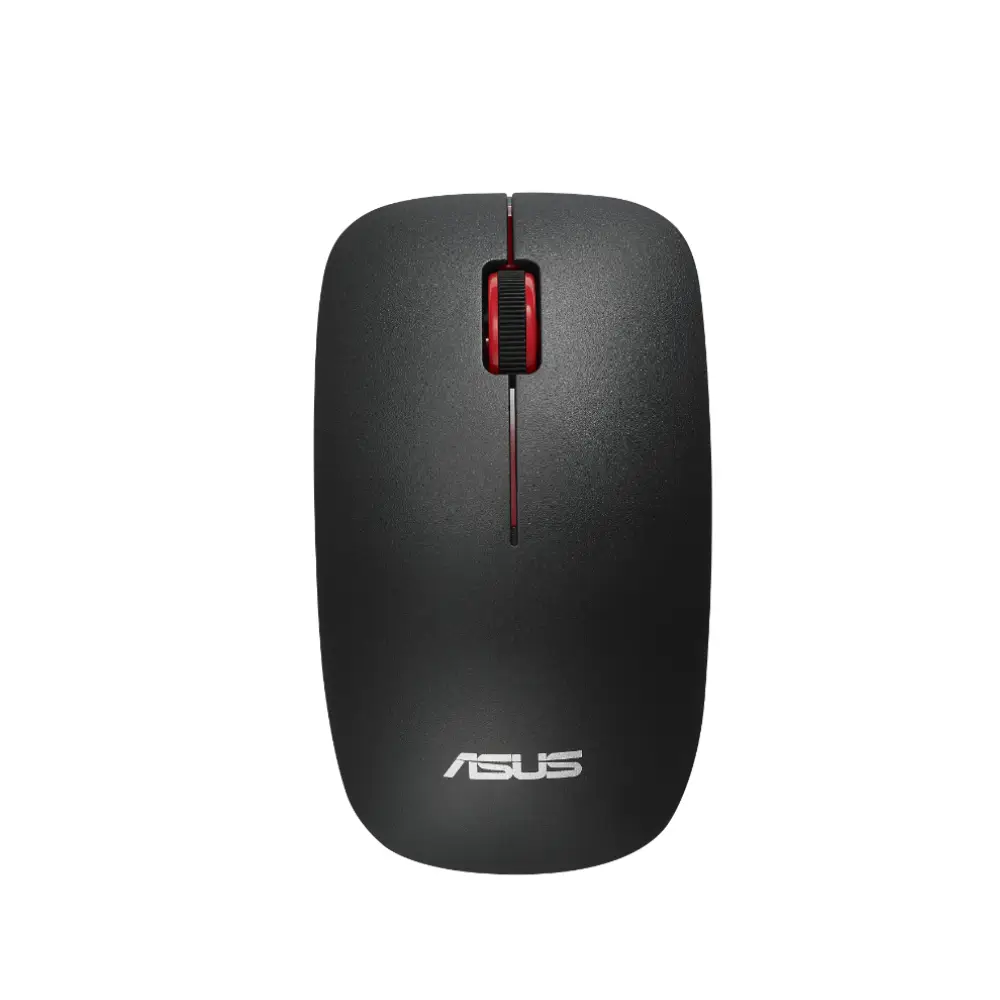
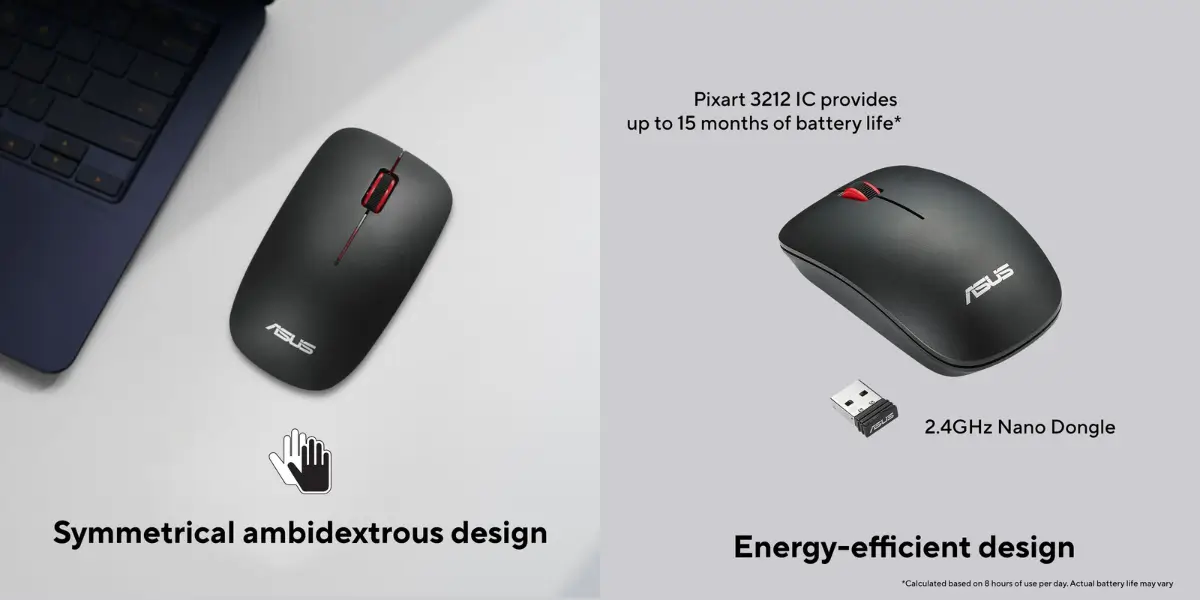
The ASUS WT300 Wireless Mouse is built for everyday comfort and reliable performance, whether you're working at your desk or browsing from the couch. Its compact, symmetrical design fits naturally into both left- and right-handed grips, so anyone in the household can pick it up and start using it right away. Long work sessions feel noticeably easier thanks to the ergonomic shape that reduces hand fatigue over time.
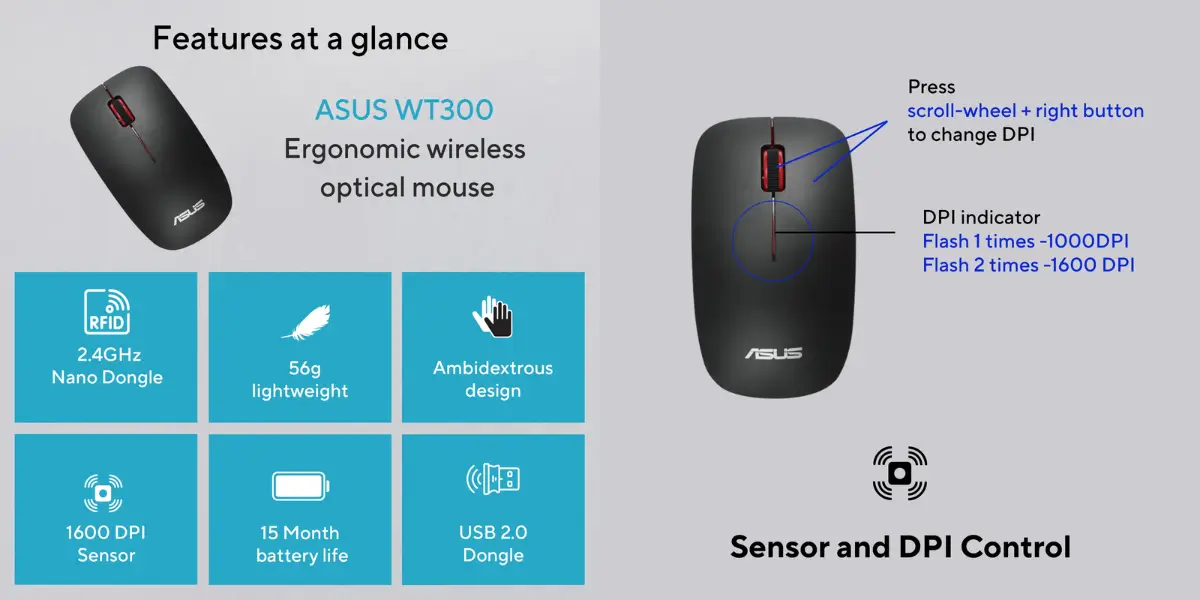
Powered by a precise optical sensor, this ASUS wireless mouse lets you switch between 1000 DPI and 1600 DPI on the fly, giving you flexibility for both detailed tasks and faster cursor movement. Paired with a 2.4GHz Nano Dongle, it delivers a stable, lag-free wireless connection without needing Bluetooth pairing steps. For anyone comparing options like an asus wireless mouse against other budget-friendly wireless mice, the WT300 stands out for its blend of comfort, simplicity, and dependable everyday performance.
From students taking notes to professionals managing spreadsheets, the WT300 adapts easily to daily computing needs at home or in the office.
Key Features
Compact, Ergonomic Design: Shaped to fit comfortably in your hand, reducing strain during long hours of browsing, working, or studying.
Symmetrical Ambidextrous Body: Works equally well for left- and right-handed users, making it a flexible choice for shared devices or households.
Dual DPI Optical Sensor (1000/1600 DPI): Switch sensitivity instantly by pressing the click-wheel and right button together, so you can move between precise clicking and faster navigation.
2.4GHz Nano Dongle Connectivity: Offers a stable, responsive wireless connection with minimal setup — simply plug in and go.
Energy-Efficient Design: Optimized power usage helps extend battery life, so you spend less time swapping batteries.
Matte Black Finish: A clean, understated look that fits well in home or office setups.
Why Choose This Product
The ASUS WT300 wireless mouse is designed around everyday practicality. Its ergonomic curves and ambidextrous shape mean you're not stuck with a device that only works for one hand or one grip style — a real advantage for shared computers or families. The adjustable DPI sensor gives you control over cursor speed without needing extra software, making it simple enough for beginners yet useful for anyone who wants more precision.
Reliable 2.4GHz wireless performance removes the frustration of dropped connections, while the energy-efficient build helps the mouse go longer between battery changes. For anyone searching for an affordable, comfortable asus wireless mouse that just works out of the box, the WT300 is a practical daily driver.
Technical Specifications
Specification | Details |
|---|---|
Model | WT300 |
Type | Wireless Optical Mouse |
Sensor | Optical, 1000 DPI / 1600 DPI switchable |
Connectivity | 2.4GHz Nano Dongle |
Battery Type | 1 x AA Battery |
Color | Matte Black |
Design | Symmetrical, Ambidextrous |
Model Number | WT300-BK-RD |
Part Number | 90XB0450-BMU070 |
Best Use Cases
Home computing and everyday browsing
Office and productivity work
Students taking notes or doing assignments
Shared family desktops (left- or right-handed use)
Package Includes
1 x ASUS WT300 Wireless Mouse
1 x 2.4GHz Nano USB Dongle
Frequently asked questions
Does the ASUS WT300 use Bluetooth or a USB dongle?
It connects via a 2.4GHz Nano Dongle, not Bluetooth, so you just plug the dongle into a USB port and it's ready to use.
Can I use the ASUS WT300 with either hand?
Yes, its symmetrical ambidextrous design makes it comfortable for both left- and right-handed users.
How do I switch the DPI setting?
Press the click-wheel and right button at the same time to toggle between 1000 DPI and 1600 DPI.
Is this asus wireless mouse suitable for office use?
Yes, its ergonomic shape and reliable 2.4GHz connection make it well-suited for long office or study sessions.
Does the package include the receiver dongle?
Yes, the 2.4GHz Nano Dongle is included in the box along with the mouse.
Asus Store
More in-stock picks from this brand

ASUS VP229HF 21.45 Inch 100Hz FHD IPS Eye Care Gaming Monitor
৳11,650

ASUS VZ24EHF 23.8-Inch 100Hz Eye Care Gaming Monitor
৳12,190

ASUS VP227HF FHD Eye Care Gaming Monitor with 100Hz
৳9,999

Asus TUF Gaming VG32VQM5B 31.5" Curved Gaming Monitor
৳37,999

ASUS VA27UQSB 27 Inch 4K IPS Monitor with Eye Care
৳43,999

ASUS ZenDrive SDRW-08U9M-U USB-C External DVD Writer
৳4,900

ASUS BW-16D1HT 16X Blu-ray Writer with M-DISC Support
৳8,480
ASUS GeForce GT 730 2GB GDDR5 Passive Cooling Graphics Card for Silent HTPC
৳10,685