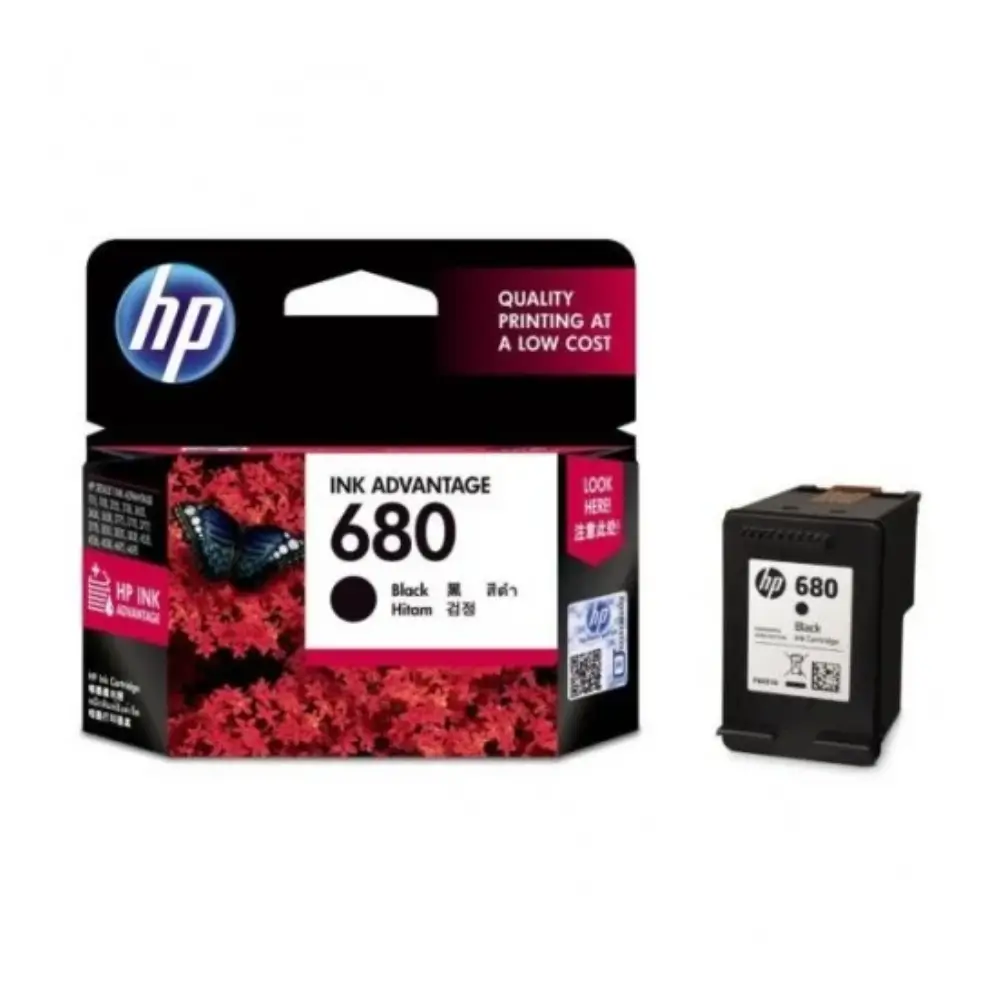
HP 680 Black Original Ink Advantage Cartridge
BDT 1,340
Quantity
Faded prints, smudged text, and streak lines often point straight to inconsistent ink flow or low-quality refills. The HP 680 Original Black Cartridge is designed to eliminate these everyday printing hiccups, delivering sharp black output from the first page to the last.
Using genuine ink ensures your HP DeskJet printer operates without clogged nozzles or leaking printheads. Whether you are printing university assignments, work reports, or official receipts, this cartridge keeps text crisp and legible on regular paper.
Key Features of HP 680 Black Cartridge
Crisp Black Text: Produces dark, sharp output ideal for business letters, assignments, and office documents.
Consistent Page Yield: Rated for up to 480 pages, offering stable output for daily home and small-office requirements.
Reliable Ink Flow: Specially formulated pigment-based ink reduces risks of nozzle clogging and streaking.
Integrated Printhead Design: Each cartridge includes a fresh printhead, keeping your printer working reliably after every change.
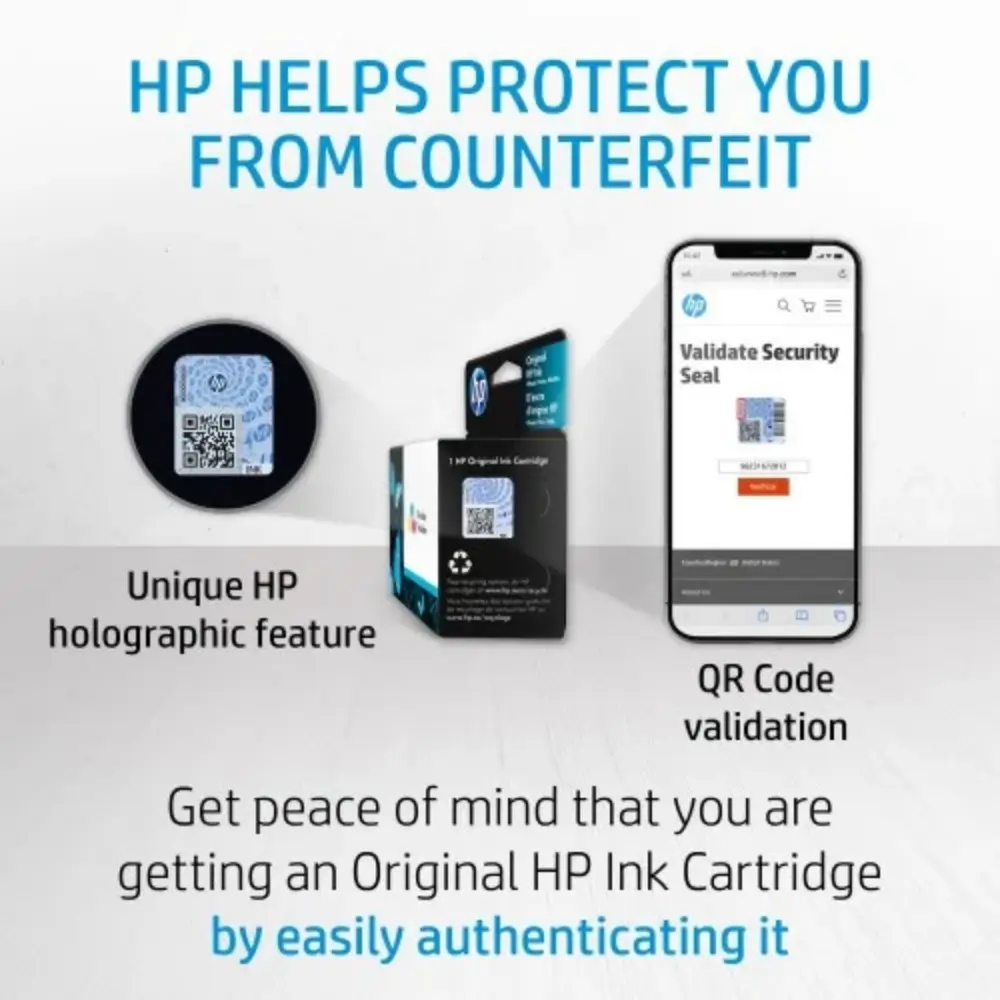
Fraud Protection: HP security seal and software alerts help you verify that you are installing an authentic cartridge.
Why Choose This HP 680 Cartridge
Third-party refills and counterfeit inks might seem budget-friendly initially, but they frequently lead to premature drying, messy leaks, or permanent hardware damage to your printer. An authentic HP 680 cartridge costs slightly more upfront, but it preserves your printer mechanism and avoids wasted paper from misprints.
It is best suited for regular, everyday document needs where clear text matters. If you print infrequently, leaving the cartridge inside an unused printer for months can cause the printhead to dry out, so keeping a routine print schedule helps maximize its full page potential.
Best Use Cases
School and university lecture notes, homework, and reports
Small office invoices, billing sheets, and client letters
Home-based routine paperwork and document printing
Utility bills, travel tickets, and identity card copies
HP 680 Technical Specifications
Specification | Details |
|---|---|
Brand | HP |
Model Code | 680 (F6V27AA) |
Ink Color | Black |
Ink Type | Pigment-based |
Page Yield | Up to 480 pages (ISO/IEC 24711 standard) |
Cartridge Drop | 22 pl |
Print Technology | HP Thermal Inkjet |
Printer Compatibility
Compatible with HP DeskJet Ink Advantage 1115, 2135, 2138, 2675, 2676, 2677, 2678, 3635, 3636, 3638, 3775, 3776, 3777, 3778, 3779, 3835, 4535, 4536, 4538, 4675, 4678, 5075, and 5275 All-in-One printers.
Package Includes
1 x HP 680 Black Original Ink Advantage Cartridge inside factory-sealed blister packaging.
Storage & Handling Tips
Keep sealed in original packaging until ready to install. Store at room temperature away from direct sunlight to avoid ink drying out prematurely.
Frequently asked questions
What is the price of HP 680 Black Original Ink Advantage Cartridge in Bangladesh?
The HP 680 Black Original Ink Advantage Cartridge is priced at ৳1,340 in Bangladesh. It is available at GearyBD with cash on delivery across Bangladesh, subject to stock availability.
How many pages can I actually print with this cartridge?
It is rated for roughly 480 pages under standard 5% page coverage. Printing heavy bold text or graphics will reduce the total page count.
How can I check if the cartridge is original?
Genuine HP cartridges carry a holographic security label on the outer box that shifts colors when tilted, along with a scannable QR code.
Will this cartridge work in an HP DeskJet 2135 printer?
Yes, the HP DeskJet Ink Advantage 2135 is fully compatible with HP 680 Black cartridges.
What should I do if the printout looks faint right after installing?
Make sure you completely removed the protective plastic tape from the printhead, then run a standard printhead cleaning cycle from your HP printer software.
Hp Store
More in-stock picks from this brand

HP DeskJet 2320 All-in-One Color Inkjet Printer with 60-Sheet Input Tray
৳9,780

HP 682 Black Ink Advantage Cartridge 3YM77AA
৳1,390

HP 682 Tri-Color Original Ink Advantage Cartridge
৳1,390

HP 680 Tri-color Original Ink Advantage Cartridge
৳1,340

HP DeskJet Ink Advantage 2336 Color Inkjet Printer
৳9,300

HP LaserJet 108w Single Function Mono Laser Printer with Wi-Fi
৳14,760

HP Laser 108A Mono Laser Printer with 21 ppm Print Speed
৳12,780

HP Laser 1008a Mono Laser Printer with 20 PPM Speed
৳12,500


