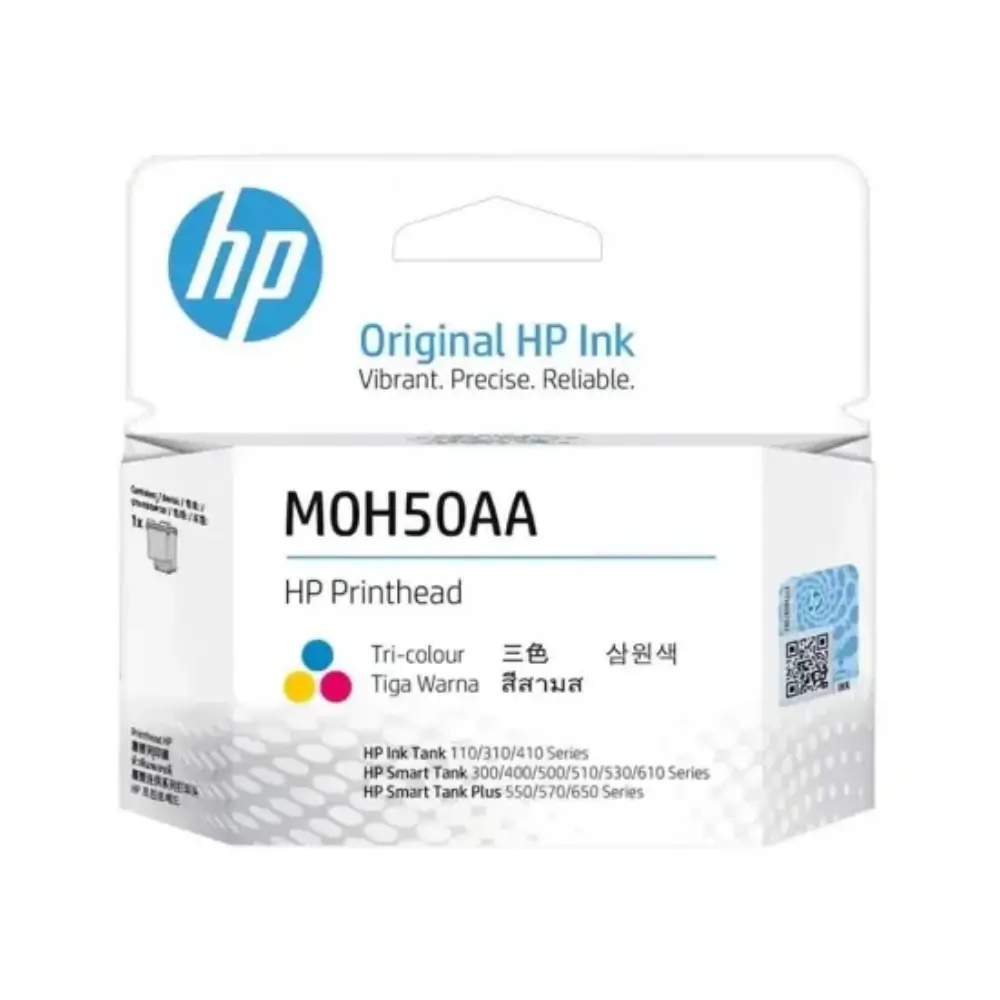
HP M0H50A Tri-Color Printhead for Ink Tank Printers
BDT 1,990
Quantity
Faded colors, streaky lines, or blank patches on your prints usually point to dried ink or damaged nozzles inside your printer's tri-color cartridge slot. Instead of replacing an entire continuous ink printer, swapping out the worn printhead restores proper flow and sharp image reproduction immediately.
The HP M0H50A Tri-Color Printhead is an authentic replacement component designed for HP DeskJet GT and Ink Tank series printers. It allows your printer to accurately blend cyan, magenta, and yellow ink reservoirs without leaking, bubbling, or smudging during continuous high-volume runs.
Key Features of HP M0H50A Printhead
Original HP Engineering: Manufactured to integrate directly with your printer's carriage without firmware conflicts or fit issues.
Integrated Tri-Color Chambers: Channels cyan, magenta, and yellow ink smoothly to eliminate missing bands and color distortion.
Drop-In Installation: Snaps into the carriage latch easily so you can complete maintenance without professional servicing tools.
Nozzle Clog Recovery: Replaces tired, dried micro-jets with fresh thermal nozzles to restore clean, edge-to-edge photo and document printing.
Continuous Ink Flow: Maintains vacuum pressure from external ink tanks, preventing backflow and air pockets in the delivery tubes.
Why Choose This Tri-Color Printhead
Third-party refurbished printheads often flood the local market at lower rates, but they carry high risks of premature electrical failure or nozzle blockage. An original HP M0H50A unit protects your printer's mainboard from short circuits and ensures that ink droplet sizing matches factory print profiles precisely.
While replacing a printhead is slightly more expensive than running automated cleaning cycles, continuous head cleanings waste substantial ink from your tanks and quickly fill up the waste ink pad. Installing a fresh unit resolves physical nozzle burnouts permanently, making it a far more cost-effective fix in the long term.
Best Use Cases
Restoring printers that have sat idle for months with dried ink in the nozzles.
Fixing persistent banding or missing magenta/cyan lines that software cleanings fail to clear.
High-volume student assignments, colorful office reports, and marketing flyers.
Routine maintenance for busy commercial photocopy and print shops.
HP M0H50A Technical Specifications
Specification | Details |
|---|---|
Model Code | M0H50A |
Product Type | Replacement Printhead |
Print Technology | HP Thermal Inkjet |
Printhead Color | Tri-Color (Cyan, Magenta, Yellow) |
Cartridge Color Marking | Blue latch / housing mark |
Packaging Type | Sealed anti-static foil bag in retail box |
Printer Compatibility
Works with HP DeskJet GT 5810, GT 5820, GT 5811, GT 5821, and HP Ink Tank 115, 310, 315, 319, 410, 415, 419 series printers. Verify your specific model manual before ordering.
Package Includes
1x Genuine HP M0H50A Tri-Color Printhead sealed in factory protective foil with contact tape and nozzle protector cap.
Warranty & Authenticity
Original HP replacement part. Comes with standard manufacturer replacement coverage against out-of-box defects when installed following proper setup steps.
Frequently asked questions
What is the price of HP M0H50A Tri-Color Printhead for Ink Tank Printers in Bangladesh?
The HP M0H50A Tri-Color Printhead for Ink Tank Printers is priced at ৳1,990 in Bangladesh. It is available at GearyBD with cash on delivery across Bangladesh, subject to stock availability.
Can I touch the copper contacts during installation?
No. Avoid touching the copper-colored electronic contacts or the bottom nozzle plate with your bare fingers, as finger oils and static electricity can damage the components.
Will this printhead work on my HP Smart Tank printer?
No. Most HP Smart Tank series printers use the HP 6ZA18AE or similar printheads; the M0H50A is specifically intended for DeskJet GT and early Ink Tank 300/400 models.
Do I need to replace both black and color printheads at the same time?
No, you only need to replace the color printhead (M0H50A) if your color output has errors. The black printhead (M0H51A) can remain in place if it prints clearly.
What should I do right after installing the new printhead?
Close the printer access door, let the printer run its automated priming routine, and print an alignment page to calibrate the new nozzles.
Hp Store
More in-stock picks from this brand

HP DeskJet 2320 All-in-One Color Inkjet Printer with 60-Sheet Input Tray
৳9,780

HP GT51 GT52 Printhead 2-Pack Kit for Ink Tank Printers
৳3,480

HP X4E75A Black Ink Tank Printhead Replacement
৳1,990

HP 67 Tri-Color Original Ink Cartridge (3YM55AA)
৳1,940

HP 67 Black Original Ink Cartridge (3YM56AN)
৳1,940

HP 305 Tri-Color Original Ink Cartridge (3YM60AE)
৳1,640

HP 305 Black Original Ink Cartridge (3YM61AE)
৳1,790

HP 682 Black Ink Advantage Cartridge 3YM77AA
৳1,390
