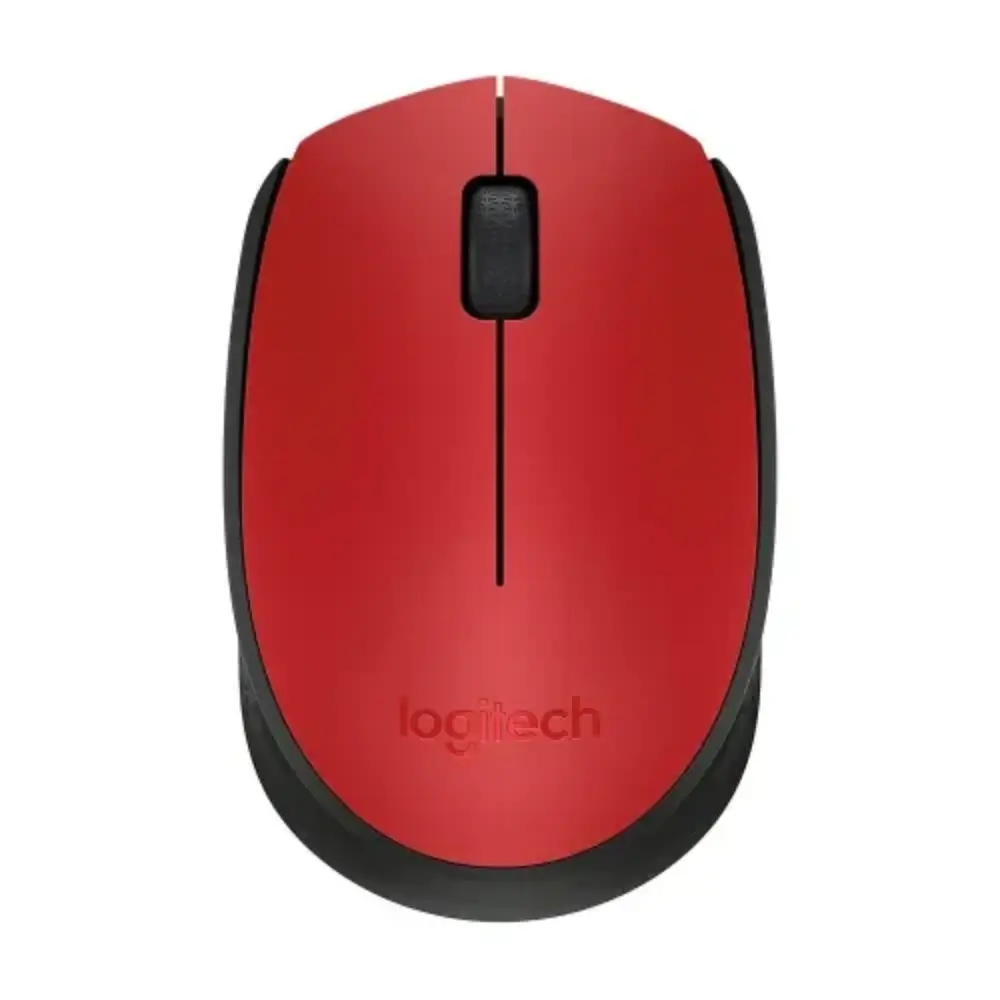
Logitech M171 Wireless Mouse with 2.4 GHz Reliable Connection
৳1,115
Good to know
- 7 days replacement warranty
- Cash on delivery available
- Ask on WhatsApp
Specifications
| Brand | Logitech |
|---|---|
| Model | M171 |
| Type | Wireless optical mouse |
| Connection | 2.4 GHz wireless |
| Wireless Range | 10 m |
| Resolution (DPI) | 1000 (approx.) |
| Tracking Method | Smooth optical tracking |
| Buttons | 3 (left click, right click, middle click) |
| Scroll Wheel | 2D optical, line-by-line scrolling |
| Power | Single AA battery, on/off switch |
| Battery Life | Up to 12 months |
| Color Options | Black/Grey (910-004424), Red/Black (910-004641), Blue/Black (910-004640), Off-White (910-006867), Blue Gray (910-006866), Rose (910-006865) |
| Warranty | 1 Year |
Description
The Logitech M171 Wireless Mouse is a simple, dependable way to make everyday computing smoother. Smooth optical tracking keeps the cursor accurate on most surfaces, and plug-and-play setup lets you start working right away with no software installation.
Its compact, ergonomic shape suits work from home, the office or on the go. If you have been searching for a Logitech mouse that is easy to carry and comfortable for daily use, the M171 is a practical pick.
A 2.4 GHz wireless connection with up to 10 meters of range keeps the signal steady, while the power-saving design can last up to 12 months on a single AA battery.
Key Features
- 2.4 GHz wireless connection: Offers a strong, reliable signal with a range of up to 10 meters, so you can work comfortably without cable clutter.
- Plug-and-play setup: Connect the USB receiver and start using the mouse immediately, with no software installation needed.
- Smooth optical tracking: Gives accurate cursor control on most surfaces, which keeps everyday tasks precise.
- Around 1000 DPI sensitivity: Balances speed and precision, which works well for casual work and light gaming.
- 3 buttons with a 2D optical scroll wheel: Left, right and middle click plus line-by-line scrolling make documents and web pages easy to navigate.
- On/off switch and power-saving technology: Runs on a single AA battery and can last up to 12 months, so you replace batteries less often.
- Compact ergonomic shape: The small size makes it portable and comfortable to use at home, at the office or while traveling.
- Logi Options+ support: Works with Logi Options+ on Windows and macOS, letting you adjust button functions and tune your workflow.
Why Choose This Wireless Mouse: Logitech M171
The M171 keeps things simple. You plug in the receiver, switch the mouse on and get a stable, responsive connection without any setup hassle.
Long battery life means fewer interruptions, and the on/off switch helps you save power when you are not using it. The compact body fits easily into a laptop bag, making it a handy travel companion.
For shoppers who want a trusted Logitech wireless mouse for office work, study or light gaming, the M171 delivers the essentials. It also comes with a 1-year warranty.
Best Use Cases
- Home office and remote work
- Office desks
- Students
- Travel with a laptop
- Casual and light gaming
Compatibility
- Logi Options+ software support on Windows and macOS for adjusting button functions and workflow settings
- Connects through the included USB receiver, with no software installation required for basic use
Warranty
7 days replacement warranty
Read the warranty policyReviews
Frequently asked questions
How does the Logitech M171 Wireless Mouse connect?
It uses a 2.4 GHz wireless connection. Connect the USB receiver and start working immediately, with no software installation.
What is the wireless range of the Logitech M171?
The wireless range is up to 10 meters.
How long does the battery last?
It runs on a single AA battery and can last up to 12 months, thanks to smart power-saving technology and the on/off switch.
What is the DPI of the Logitech M171 mouse?
The sensitivity is roughly 1000 DPI, which balances speed and precision for casual work and light gaming.
Does the Logitech M171 work with Logi Options+?
Yes. It is compatible with Logi Options+ on Windows and macOS, so you can adjust button functions and workflow settings.
Logitech Store
More in-stock picks from this brand

Logitech Studio Series Anti-Slip Spill-Proof Mouse Pad
৳1,090

Logitech G102 Lightsync RGB Wired Gaming Mouse with 8,000 DPI
৳1,765

Logitech G PRO X2 SUPERSTRIKE Wireless Gaming Mouse
৳20,990

Logitech PRO X SUPERLIGHT 2 DEX Wireless Gaming Mouse
৳15,350

Logitech PRO X SUPERLIGHT 2C Wireless Gaming Mouse
৳15,950

Logitech G502 X LIGHTSPEED Wireless Gaming Mouse, Black
৳15,500

Logitech G502 Lightspeed Wireless Gaming Mouse HERO 25K
৳14,000

Logitech PRO 2 LIGHTSPEED Wireless Gaming Mouse 44K DPI
৳11,400


