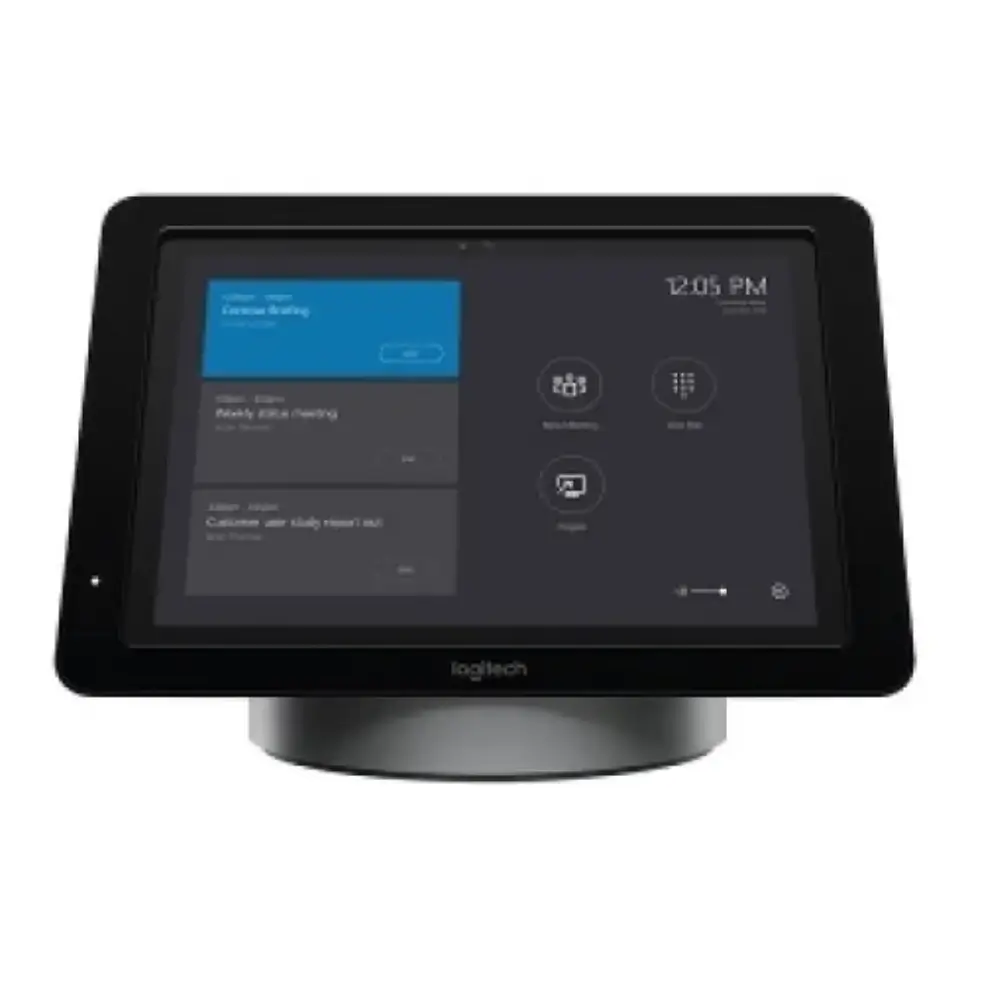
Logitech SmartDock Skype Room System Meeting Console
৳84,990
Good to know
- 7 days replacement warranty
- Cash on delivery available
- Ask on WhatsApp
Specifications
| Brand | Logitech |
|---|---|
| Model | SmartDock |
| Type | AV control console and powered, secure tablet mount |
| Designed For | Microsoft Skype for Business |
| Display Output | HDMI for 1080p displays |
| Content Sharing | HDMI input for personal devices |
| USB Ports | 3 |
| Network | Gigabit Ethernet |
| Audio | Headset jack |
| Security | Kensington security slot |
| Optional Accessory | Extender Box |
| Power Input | 100-240V AC |
| Warranty | 1 Year |
Description
The Logitech SmartDock is a conference room console that lets you walk in and launch a Skype for Business meeting with a single touch. It works as an AV control console and a powered, secure tablet mount for the Microsoft Surface Pro.
If you are looking for a Logitech conference room console for a meeting room that uses Skype for Business, SmartDock works with your existing video displays and video cameras certified for Skype for Business. Meeting organizers get a familiar interface, and IT admins get an easily deployed and managed Windows 10 Skype meeting app.
It also adds HDMI, USB, Ethernet and headset connections in one place, so the room stays tidy and ready to use.
Key Features of the Logitech SmartDock Conference Room Console
- One-touch meeting launch: Lets meeting organizers start a Skype for Business meeting with a single touch, so meetings begin quickly.
- Familiar Skype for Business experience: Gives organizers an interface they already know, while IT admins use the easily deployed and managed Windows 10 Skype meeting app.
- AV control console and powered tablet mount: Holds the Surface Pro securely and powers it, so the tablet is always ready to use.
- Kensington security slot: Locks the Surface Pro 4 in place, so you can leave it unattended in a conference room with more confidence.
- HDMI connection for 1080p displays: Connects to your meeting room display, so participants can see content clearly.
- Three USB ports: Let you connect cameras, audio devices and other accessories without extra hubs.
- Gigabit Ethernet: Provides a wired network connection, which supports the internet access the room system requires.
- Headset jack: Lets participants use a headset when they need private audio.
- HDMI input for content sharing: Lets you connect a personal laptop and present a presentation or demo right away.
- Optional Extender Box: Keeps conference tables clean and clutter-free by reducing visible cabling.
Why Choose the Logitech SmartDock Conference Room Console
This conference room console is built for simple meetings and easy IT management. Organizers can walk in and start a call with one touch, while the secure mount and Kensington slot give IT peace of mind.
SmartDock also brings the connections of a full meeting room into one unit. You get HDMI, three USB ports, Gigabit Ethernet and a headset jack, plus an HDMI input for sharing content from a personal laptop.
For organizations looking for a dependable Logitech conference room console for Skype for Business, the single-touch launch, secure design and 1-year warranty make it a practical choice.
Best Use Cases
- Skype for Business meeting rooms: Launch meetings quickly with a familiar interface.
- Shared conference rooms: Leave the Surface Pro locked in place between meetings.
- Presentations and demos: Connect a personal laptop through the HDMI input and start sharing.
Compatibility and System Requirements
- Tablet: Microsoft Surface Pro 4 with Core i5, or Surface Pro with Core i5 or higher (2017)
- Operating system: Microsoft Windows 10 Enterprise
- Software: Skype Room System Software
- Account: Room resource account for Skype for Business 2015 or later
- Network: Internet access via Ethernet with DHCP enabled
- Display: External display or projector with HDMI input
- AV devices: Logitech ConferenceCam (recommended) or other Skype Certified AV devices
- Power: 100-240V AC
Warranty
7 days replacement warranty
Read the warranty policyReviews
Frequently asked questions
What is the Logitech SmartDock?
It is an AV control console and powered, secure tablet mount that lets you launch a Skype for Business meeting with one touch.
Which Surface Pro does the Logitech SmartDock work with?
It requires a Microsoft Surface Pro 4 with Core i5, or a Surface Pro with Core i5 or higher (2017), running Windows 10 Enterprise.
Does the Surface Pro come with the SmartDock?
No. The SmartDock is used with a Microsoft Surface Pro, which is listed as a system requirement and is not part of the SmartDock itself.
What ports does it have?
It has HDMI for 1080p displays, three USB ports, Gigabit Ethernet and a headset jack. It also has an HDMI input for sharing content from a laptop.
Can I leave the Surface Pro in the room?
Yes. SmartDock securely locks the Surface Pro 4 and has a Kensington security slot for added protection.
Logitech Store
More in-stock picks from this brand

Logitech Rally Bar 4K Video Conferencing Camera System
৳480,000

Logitech Z906 5.1 Speaker System with THX Certification
৳33,480

Logitech Rally Plus 4K Video Conferencing System Set
৳375,000

Logitech Group Expansion Microphones Pair for Meetings
৳34,890

Logitech Rally System Video Conferencing Camera Set
৳320,000

Logitech Rally Bar Huddle 4K Video Conference Camera
৳290,000

Logitech Sight 4K Dual-Lens Video Conference Camera
৳275,000

Logitech RoomMate Video Conference System Appliance
৳195,000


