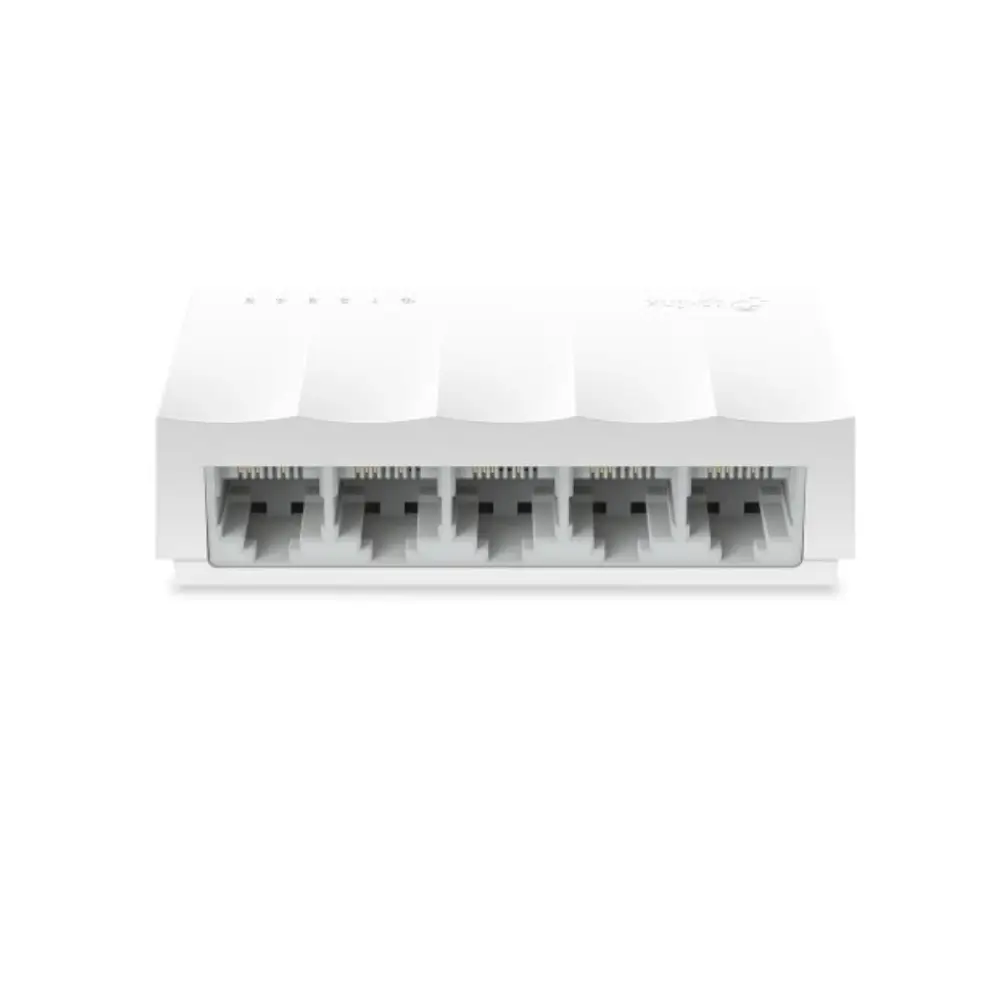
TP-Link LS1005 5-Port Unmanaged Desktop Network Switch
৳600
Good to know
- 1 Year Warranty
- Cash on delivery available
- Ask on WhatsApp
Description
The TP-Link LS1005 5 Port Network Switch turns one Ethernet connection into five, so you can wire up your PC, router, printer, set-top box and more without swapping cables. It is a compact unmanaged switch that works straight out of the box, with no management settings to configure.
If you are looking for a reliable tp-link switch for a home desk, small office or shop counter, the LS1005 keeps things simple. Its five 10/100Mbps auto-negotiating RJ45 ports adapt to each connected device, and Green Ethernet technology helps reduce power use.
Its small desktop body fits easily beside a router or monitor, making it a practical way to add wired LAN ports for stable everyday connections.
Key Features
- 5 × 10/100Mbps RJ45 ports: Connect up to five wired devices at speeds of up to 100Mbps per port, which suits browsing, streaming, printing and file sharing on a small network.
- Auto-Negotiation: Each port detects the speed of the connected device automatically, so mixed 10Mbps and 100Mbps devices work together without manual setup.
- Auto-MDI/MDIX: The ports detect the cable type automatically, so you don't have to worry about choosing between straight-through and crossover cables.
- Green Ethernet technology: This power-saving technology helps lower energy consumption, which suits switches that stay on all day.
- IEEE 802.3X flow control and back pressure: These functions help manage traffic between devices, reducing the risk of packet loss when the network gets busy.
- Store and Forward transmission: The switch checks each data packet before forwarding it, which supports reliable data delivery across the connected devices.
- LED indicators: You can check port and power status at a glance, which makes basic troubleshooting quicker.
- Compact plastic desktop design: At 83.6 × 45.7 × 22.8 mm, it fits on a desk or shelf and takes up very little space.
Why Choose the TP-Link LS1005 5 Port Network Switch
The TP-Link LS1005 is a straightforward way to expand your wired network. Because it is unmanaged, you connect the power adapter, plug in your Ethernet cables and start using it, which is useful if you want more LAN ports without dealing with network settings.
A tp-link switch like the LS1005 also gives you something Wi-Fi often cannot: a stable wired link for desktops, printers, smart TVs, CCTV recorders and other devices that work best on Ethernet. With Green Ethernet technology and a small footprint, it is an efficient, tidy choice for everyday use.
The LS1005 comes with a 1-year manufacturer warranty, which adds peace of mind for homes, shops and small offices.
Best Use Cases
- Home: Connect a desktop PC, smart TV, gaming console and router by cable.
- Home office: Share a wired connection between a computer, laptop dock and network printer.
- Small shops and offices: Add extra LAN ports for POS systems, workstations and printers.
- Surveillance setups: Link a DVR or NVR and other network devices over a 10/100Mbps connection.
Technical Specifications
| Feature | Specification |
|---|---|
| Brand | TP-Link |
| Model | LS1005 |
| Type | Unmanaged Switch |
| Ports | 5 × 10/100Mbps RJ45, Auto-Negotiation, Auto-MDI/MDIX |
| Network Standard | IEEE 802.3i / 802.3u / 802.3x |
| Data Transmission Rate | 10/100Mbps |
| Transmission Method | Store and Forward |
| Advanced Functions | Green Technology, 802.3X Flow Control, Back Pressure |
| LED | Yes |
| Power Supply | External Power Adapter (Output: 5VDC / 0.6A) |
| Dimensions | 83.6 × 45.7 × 22.8 mm (3.3 × 1.8 × 0.9 in) |
| Casing | Plastic |
| Operating Temperature | 0°C to 40°C (32°F to 104°F) |
| Storage Temperature | -40°C to 70°C (-40°F to 158°F) |
| Operating Humidity | 10% to 90% non-condensing |
| Storage Humidity | 5% to 90% non-condensing |
| Warranty | 1 Year |
Warranty
1 Year Warranty
Read the warranty policyReviews
Frequently asked questions
Is the TP-Link LS1005 a Gigabit switch?
No. The LS1005 has five 10/100Mbps ports, so each port supports speeds of up to 100Mbps.
Do I need to configure the TP-Link LS1005?
It is an unmanaged switch with no management interface to set up. Connect the power adapter and your Ethernet cables to start using it.
How is the TP-Link LS1005 powered?
It uses an external power adapter with a 5VDC / 0.6A output.
Does the LS1005 support Auto-MDI/MDIX?
Yes. All five ports support Auto-MDI/MDIX and Auto-Negotiation, so they adjust to the cable type and device speed automatically.
TP-Link Store
More in-stock picks from this brand

TP-Link TL-SF1005D 5-Port 10/100 Mbps Network Switch
৳750

TP-Link CPE220 2.4GHz Outdoor Wireless Access Point
৳5,580

TP-Link TL-WA901ND 450Mbps Wireless N Access Point
৳4,040

TP-Link EAP115 Ceiling Mount Access Point with 802.3af PoE Support
৳3,680

TP-Link TL-POE150S Gigabit PoE Injector 802.3af 15.4W
৳1,740

TP-Link TL-SF1008D 8 Port 10/100Mbps Desktop Switch
৳830

TOTOLINK X30 SE AX3000 WiFi 6 Mesh Router, Dual Band
৳4,939

TP-Link Deco X10 AX1500 WiFi 6 Mesh Router System
৳6,039


