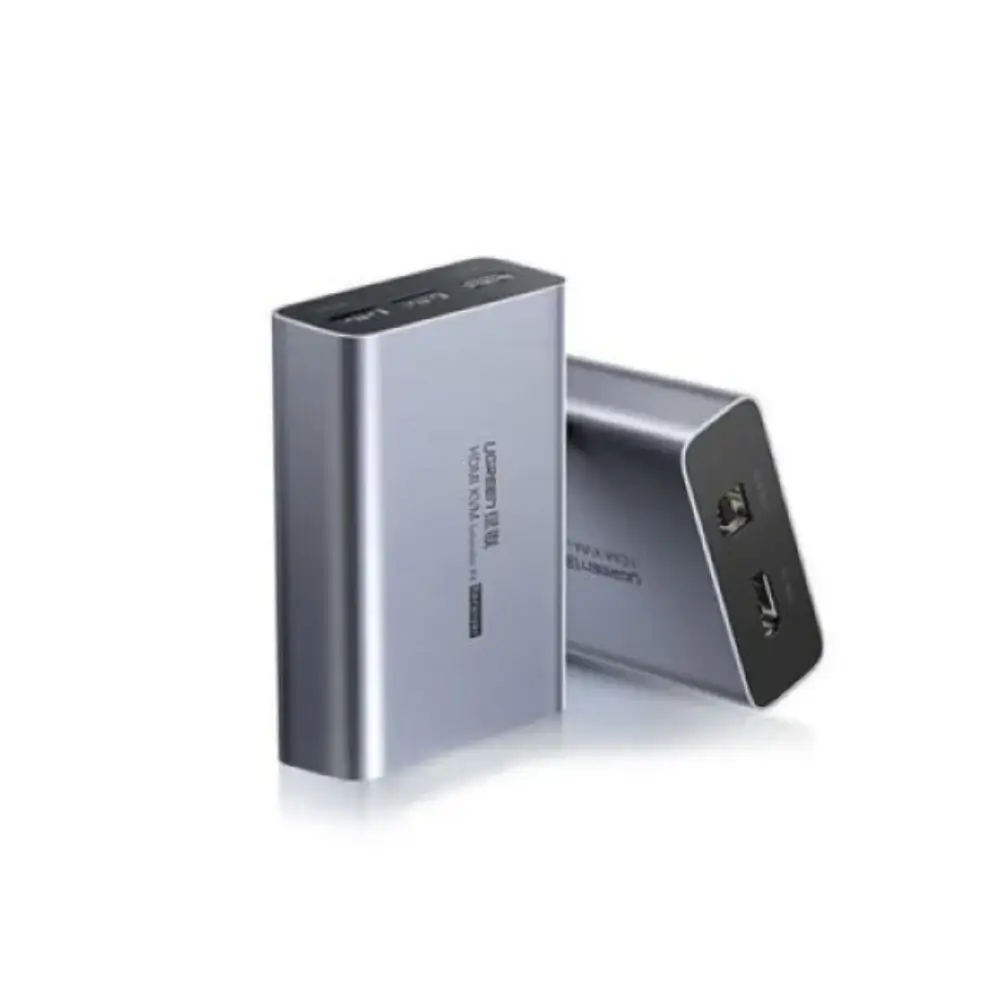

UGREEN CM291 HDMI KVM Extender Receiver with 150m Range
BDT 13,500
Quantity
The UGREEN CM291 HDMI KVM extender receiver lets you place a monitor, keyboard and mouse up to 150m away from your computer. It sends clear 1920×1200 video over a standard network cable, so you can keep PCs in a secure or ventilated spot and work comfortably elsewhere.
This is the receiver unit only. It works together with the UGREEN CM291 (60323) transmitter. It also passes USB keyboard and mouse control back to the source, so one remote station can fully operate the PC. For anyone searching for a UGREEN HDMI extender for classrooms, control rooms or meeting spaces, this receiver covers the display end of the link.
Setup is simple: plug your Cat5e or Cat6 cable into the RJ45 port, connect a monitor to the HDMI output, and attach your keyboard and mouse to the two USB-A ports.
Key Features
Up to 150m extension distance: Connects over a network cable, so the computer and the workstation can sit in different rooms or even different parts of a building.
1920×1200 at 60Hz video output: Delivers sharp, smooth Full HD-class video, ideal for presentations, monitoring and everyday office work.
USB KVM control with 2× USB-A ports: Lets you use a keyboard and mouse at the remote end, so you can operate the host PC as if you were sitting beside it.
IR interface support: Allows infrared control signals to be passed through, which adds flexibility for AV setups.
EDID support: Helps the source device detect the display correctly, which reduces the chance of resolution or handshake problems.
HDCP 1.4 and 3D video support: Handles protected HDMI content and 3D-capable sources over the extended link.
Compact, simple connections: One HDMI output, one RJ45 input and a small body of about 88 × 65 × 24mm make it easy to hide behind a display or inside a rack.
Why Choose This UGREEN CM291 HDMI KVM Extender Receiver
If you need a dependable HDMI KVM extender receiver for long cable runs, the CM291 keeps the job simple. Instead of running separate HDMI and USB cables over long distances, you use one network cable for the whole connection.
It suits setups where the computer should stay out of sight, such as server rooms, AV closets or secure areas. At the same time, users get a full desktop experience with video, keyboard and mouse. Since it’s a receiver unit, it’s also a practical choice if you’re adding a second remote station or replacing an existing receiver in a CM291 setup.
Best Use Cases
Control rooms and monitoring stations
Classrooms and meeting rooms
Digital signage and display installations
Offices where PCs are kept in a separate room
AV and studio setups
Technical Specifications
Feature | Details |
|---|---|
Model | CM291 |
Item No. | 70438 |
Product Type | HDMI KVM extender |
Unit Type | Receiver only |
Paired Transmitter | UGREEN CM291 (60323) |
Maximum Extension Distance | Up to 150m |
Maximum Resolution | 1920 × 1200 at 60Hz |
Video Output | 1× HDMI |
Network Input | 1× RJ45 |
USB Ports | 2× USB-A (keyboard and mouse) |
IR Interface | Supported |
Recommended Cable | Cat5e or Cat6, pure copper preferred |
HDCP | 1.4 |
EDID | Supported |
3D Video | Supported |
Power Requirement | DC 5V / 1A |
Dimensions | Approx. 88 × 65 × 24mm |
Compatibility
This receiver is designed to pair with the UGREEN CM291 (60323) transmitter. It outputs to any HDMI display, and the USB-A ports accept a standard keyboard and mouse.
Frequently asked questions
Is the UGREEN CM291 receiver a complete KVM extender kit?
No. This listing is for the receiver only. You need the compatible UGREEN CM291 (60323) transmitter to form a working link.
How far can this HDMI KVM extender send video?
It supports extension distances of up to 150m over network cable.
What cable should I use with the CM291 receiver?
Use Cat5e or Cat6 cable. Pure copper cable is recommended for the best results over long distances.
What is the maximum resolution?
It supports up to 1920 × 1200 at 60Hz.
UGREEN Store
More in-stock picks from this brand

UGREEN 10129 2M High Speed HDMI Cable for 4K Display
৳640

UGREEN CM546 8-Port HDMI KVM Switch for 8 PCs, 4K 60Hz
৳32,500

UGREEN 10170 10M HDMI Cable 4K with Triple Shielding
৳2,140

UGREEN 10141 HDMI Male to Female Cable 1M, 4K 60Hz
৳940

UGREEN CM293 4-Port HDMI KVM Switch with 4K@60Hz Output
৳8,480

UGREEN 20107 Chip-Free HDMI Female to Female Converter
৳640

Ugreen CM196 HDMI Extender 50M Over CAT5E/CAT6E Cable
৳3,880

UGREEN 70321 8K HDMI 2.1 Cable 2M, 8K@60Hz Support
৳1,440


