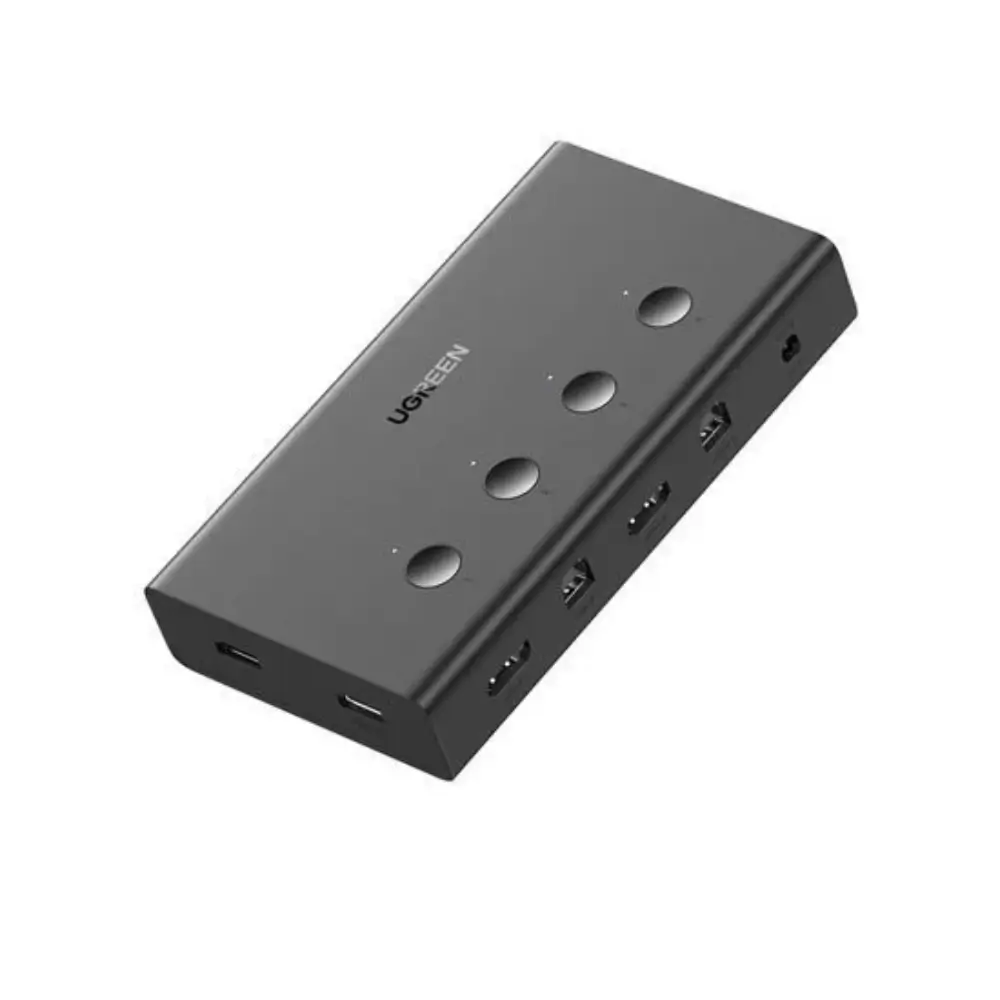
UGREEN CM293 4-Port HDMI KVM Switch with 4K@60Hz Output
৳8,480
Good to know
- 7 days replacement warranty
- Cash on delivery available
- Ask on WhatsApp
Specifications
| Model | UGREEN CM293 (70439) |
|---|---|
| Product Type | HDMI USB KVM Switch |
| KVM Configuration | 4 Computers to 1 Monitor |
| HDMI Inputs | 4 × HDMI |
| HDMI Output | 1 × HDMI |
| USB Host Inputs | 4 × USB 2.0 Type-B |
| Shared USB Ports | 2 × USB 2.0 Type-A + 2 × USB 1.1 Type-A |
| Maximum Resolution | 4K UHD (3840 × 2160) @ 60Hz |
| HDMI Version | HDMI 2.0 |
| HDCP | HDCP 2.2 / HDCP 1.4 |
| Switching Method | Physical Button / Keyboard Hotkey |
| USB 2.0 Data Rate | Up to 480Mbps |
| Power Connection | DC 5V, 5.5mm barrel connector |
| Operating Systems | Windows, macOS, Linux |
| Housing | PC + ABS |
| Dimensions | 144 × 80 × 26mm |
| Color | Black |
| Warranty | N/A |
Description
Running several computers on one desk usually means extra monitors, extra keyboards and a lot of cable clutter. The UGREEN CM293 4-Port HDMI KVM Switch lets you control 4 PCs from a single monitor, keyboard and mouse. It supports sharp 4K@60Hz output.
If you are looking for a reliable UGREEN KVM switch for a home office, workstation or lab setup, the CM293 gives you simple switching with a physical button or a keyboard hotkey. It works with Windows, macOS and Linux systems.
Key Features
4 Computers, 1 Monitor (4 × HDMI in, 1 × HDMI out): Connect up to four PCs and view them on one display. This saves desk space and removes the need for multiple screens.
4K UHD at 60Hz (HDMI 2.0): Delivers up to 3840 × 2160 at 60Hz for smooth, sharp visuals. This suits detailed work, video playback and everyday productivity.
HDCP 2.2 / HDCP 1.4 support: Works with protected HDMI content and compatible displays, which helps avoid compatibility problems.
4 shared USB ports (2 × USB 2.0 Type-A + 2 × USB 1.1 Type-A): Share a keyboard, mouse or other peripherals across every connected computer. You don’t need to unplug and replug devices.
Button and hotkey switching: Change the active PC from the front button or with a keyboard hotkey. This keeps your workflow fast.
USB 2.0 data rate up to 480Mbps: Gives responsive performance for keyboards, mice and common USB peripherals.
Windows, macOS and Linux compatible: Mixed-OS setups work from one switch.
Compact PC + ABS housing (144 × 80 × 26mm): The black body is small enough for a desktop and built for everyday use.
Why Choose the UGREEN CM293 4-Port HDMI KVM Switch
The UGREEN CM293 replaces a crowded multi-monitor, multi-keyboard setup with one clean workspace. You get 4K@60Hz picture quality and quick switching between computers. This makes it a practical 4-Port HDMI KVM Switch for people who manage more than one machine every day.
Saves space and money: One monitor, one keyboard and one mouse can serve four computers.
Faster workflow: Hotkey or button switching takes seconds, so you can move between systems without interruption.
Flexible for mixed systems: Use Windows, macOS and Linux machines together.
Trusted brand: As a UGREEN KVM switch, the CM293 comes from a brand known for accessories and connectivity products.
Best Use Cases
Home offices with a work PC, personal PC and laptop
Developers and IT professionals testing across multiple systems
Gaming and streaming setups with separate machines
Server rooms, labs and workshops
Students and professionals who want a tidy desk
Compatibility
Operating systems: Windows, macOS and Linux
Computer connection: HDMI video input and USB 2.0 Type-B for each of the 4 hosts
Peripherals: Keyboards, mice and other USB devices via the shared Type-A ports
Display: Any HDMI monitor or TV; 4K@60Hz requires a compatible 4K display and HDMI 2.0 cables
Warranty
7 days replacement warranty
Read the warranty policyReviews
Frequently asked questions
How many computers can the UGREEN CM293 connect?
It connects 4 computers to 1 monitor, with a shared keyboard, mouse and other USB devices.
Does this KVM switch support 4K at 60Hz?
Yes. It supports up to 4K UHD (3840 × 2160) at 60Hz over HDMI 2.0, with HDCP 2.2 and 1.4.
How do I switch between computers?
Press the physical button on the unit or use a keyboard hotkey.
Which operating systems does it support?
It supports Windows, macOS and Linux.
UGREEN Store
More in-stock picks from this brand

UGREEN CM546 8-Port HDMI KVM Switch for 8 PCs, 4K 60Hz
৳32,500

UGREEN CM291 HDMI KVM Extender Receiver with 150m Range
৳13,500

UGREEN CM664 2-Port HDMI KVM Switch with 4K 60Hz Output
৳6,480

uGREEN CM200 2-Port HDMI KVM Switch with 4K UHD Support
৳3,500

UGREEN 90478 2-Port HDMI KVM Switch with 4K 60Hz Output
৳4,780

UGREEN AK502 HDMI KVM Switch 4K 60Hz for 2 Computers
৳5,280

UGREEN U601 5-in-1 USB-C Hub with 4K@60Hz HDMI Output
৳2,440

UGREEN REVODOK CM818 4K 60Hz USB C Hub with 4 USB Ports
৳3,650


