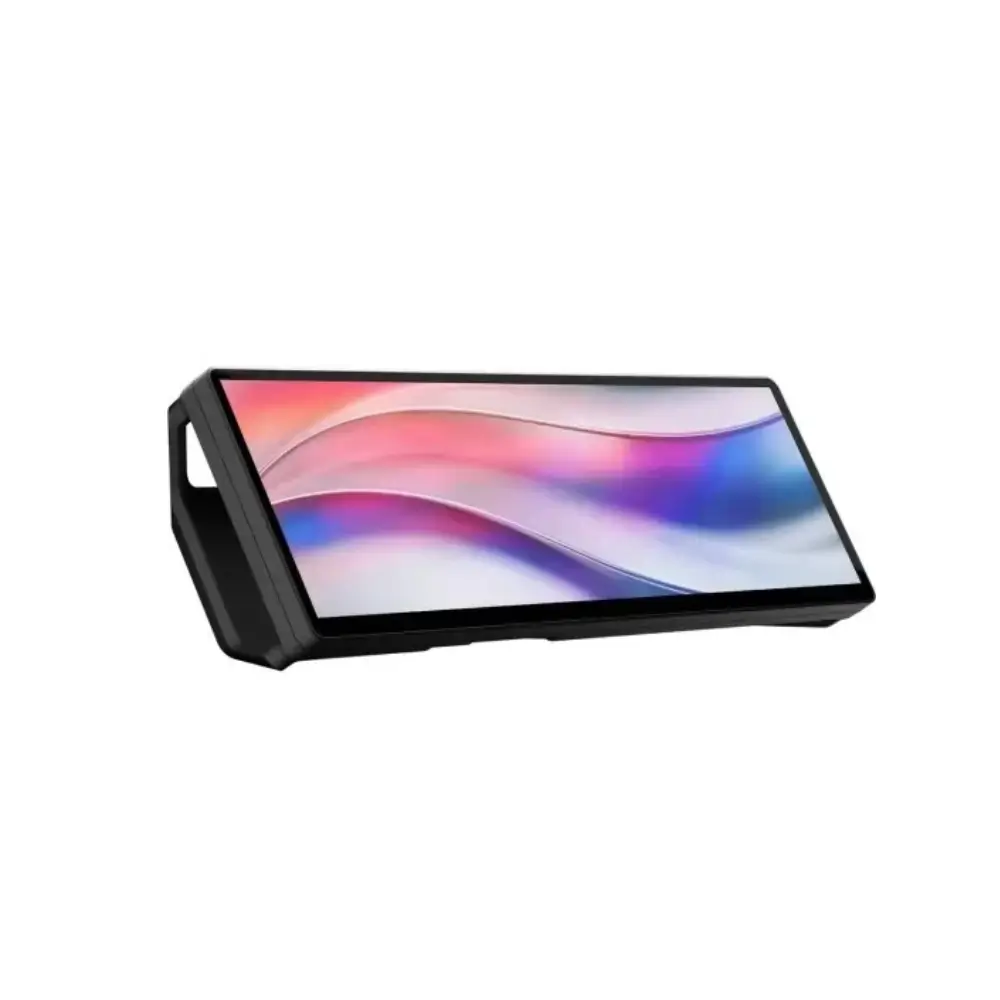
Corsair Xeneon Edge 14.5 Inch LCD Touchscreen Monitor
BDT 28,480
Quantity
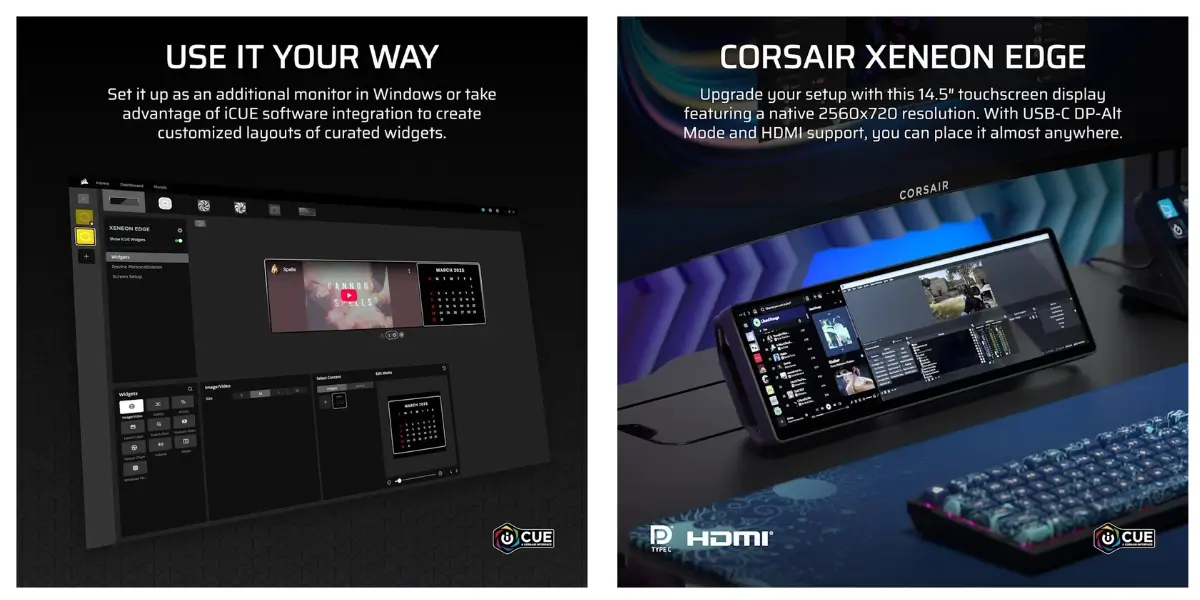
The Corsair Xeneon Edge is a compact 14.5 inch touchscreen monitor that adds a wide, touch-controlled second screen to your desk. Its 32:9 panel keeps useful information in view, such as chat windows, music controls or system stats, so your main display stays free for work or games.
If you are looking for a corsair monitor that does something different from a regular desktop screen, the Xeneon Edge is a good choice. It supports 5-point touch, connects over HDMI or USB-C, and can sit on its detachable magnetic stand or attach to a steel surface.
It works for desktop multitasking, streaming setups and workstations that need a dedicated control panel.
Key Features
14.5 inch ultrawide LCD touchscreen: The 32:9 panel is wide enough to show several apps side by side, so you switch windows less often.
2560x720 resolution at 60Hz: The sharp, wide picture keeps text and dashboards easy to read, and 60Hz is smooth enough for everyday interface use.
5-point touch control: You can tap and swipe directly on the screen, which is faster than reaching for the mouse for small tasks.
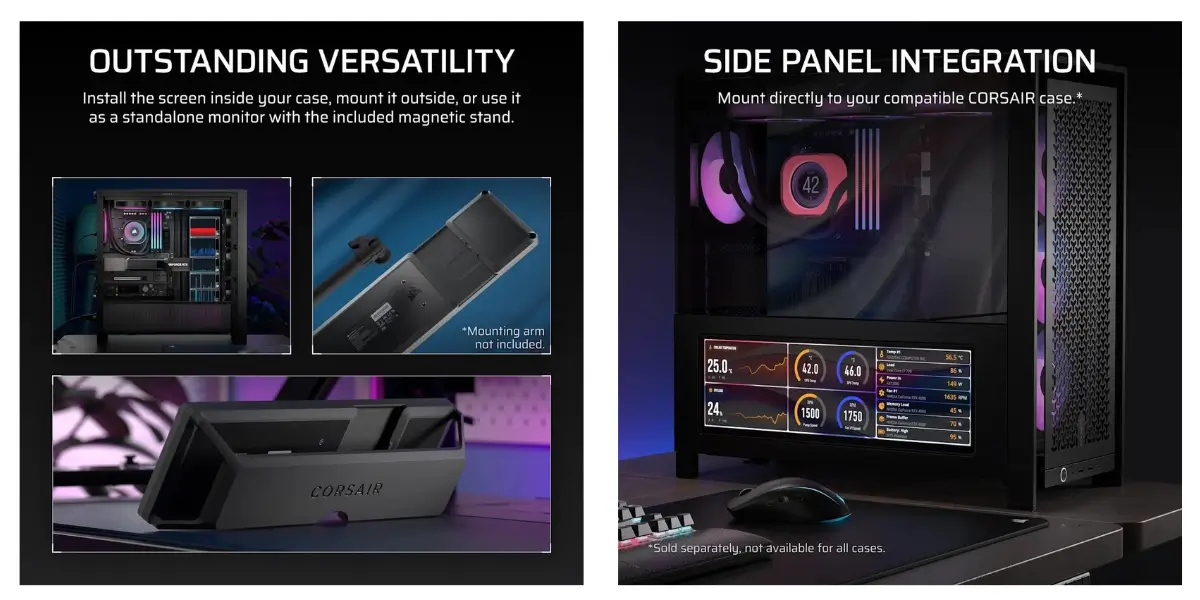
Detachable magnetic stand: The included stand holds the display on your desk, and you can remove it when you want to mount the screen elsewhere.
Magnetic backplate: The screen attaches to any steel surface, so you can place it where it is most convenient.
Horizontal and vertical orientation: Use it flat across your desk or stand it upright, depending on the apps and layout you want.
HDMI 2.0 and USB-C DP Alt Mode inputs: You can connect to a wide range of PCs and laptops with the cable you already have.
16.7 million colors (8-bit RGB): Colors look natural for dashboards, media and general use.
Why Choose Corsair Xeneon Edge 14.5 Inch Touchscreen Monitor
The Xeneon Edge is built for people who want more screen without a second full-size monitor. Because it is small and wide, it fits on crowded desks and next to existing displays.
Touch input makes quick actions faster. You can adjust a setting or start a task with one tap instead of moving the cursor across a large screen.
The magnetic mounting gives you more placement choices than a typical monitor. At 1 kg, it is also light enough to move around easily.
Corsair is a familiar name in PC hardware, which is why many buyers look for a corsair monitor for their setup. Here the product is backed by a 3-year warranty that includes a zero dead pixel policy.
Best Use Cases
Desktop multitasking: Keep messages, music or reference material open on a separate screen.
Streamers and creators: Use it as a control panel next to your main display.
PC enthusiasts: Add a distinctive secondary screen to your desk.
Office and workstation users: Keep dashboards or reference tools in view while you work.
Technical Specifications
Feature | Details |
|---|---|
Brand / Model | Corsair Xeneon Edge |
Screen size | 14.5 inches |
Panel type | AHVA LCD |
Resolution | 2560x720 (32:9), also the maximum resolution |
Refresh rate | 60Hz |
Peak brightness | 350 cd/m² |
Color depth | 16.7 million colors (8-bit RGB) |
Touch support | 5-point touchscreen |
Adaptive sync | Not supported |
HDR | No HDR certification |
Video inputs | 1x HDMI 2.0, 1x USB-C with DP Alt Mode |
Mounting | Detachable magnetic stand and magnetic backplate |
Orientation | Horizontal and vertical |
Length | 372 mm |
Weight | 1 kg |
Color | Black |
Warranty | 3 years, with zero dead pixel coverage |
Compatibility
The Xeneon Edge connects to devices with an HDMI output, or with a USB-C port that supports DisplayPort Alt Mode. This covers many desktop PCs and laptops. Check that your device's USB-C port supports video output before you buy.
Frequently asked questions
What is the Corsair Xeneon Edge?
It is a 14.5 inch ultrawide touchscreen monitor with a 2560x720 resolution, designed as a compact secondary display.
Is the Corsair Xeneon Edge a touchscreen monitor?
Yes. It has a 5-point touchscreen, so you can control it with taps and swipes.
What ports does this corsair monitor have?
It has one HDMI 2.0 input and one USB-C port with DP Alt Mode.
Can I use it vertically?
Yes. It supports both horizontal and vertical orientation.
CORSAIR Store
More in-stock picks from this brand


