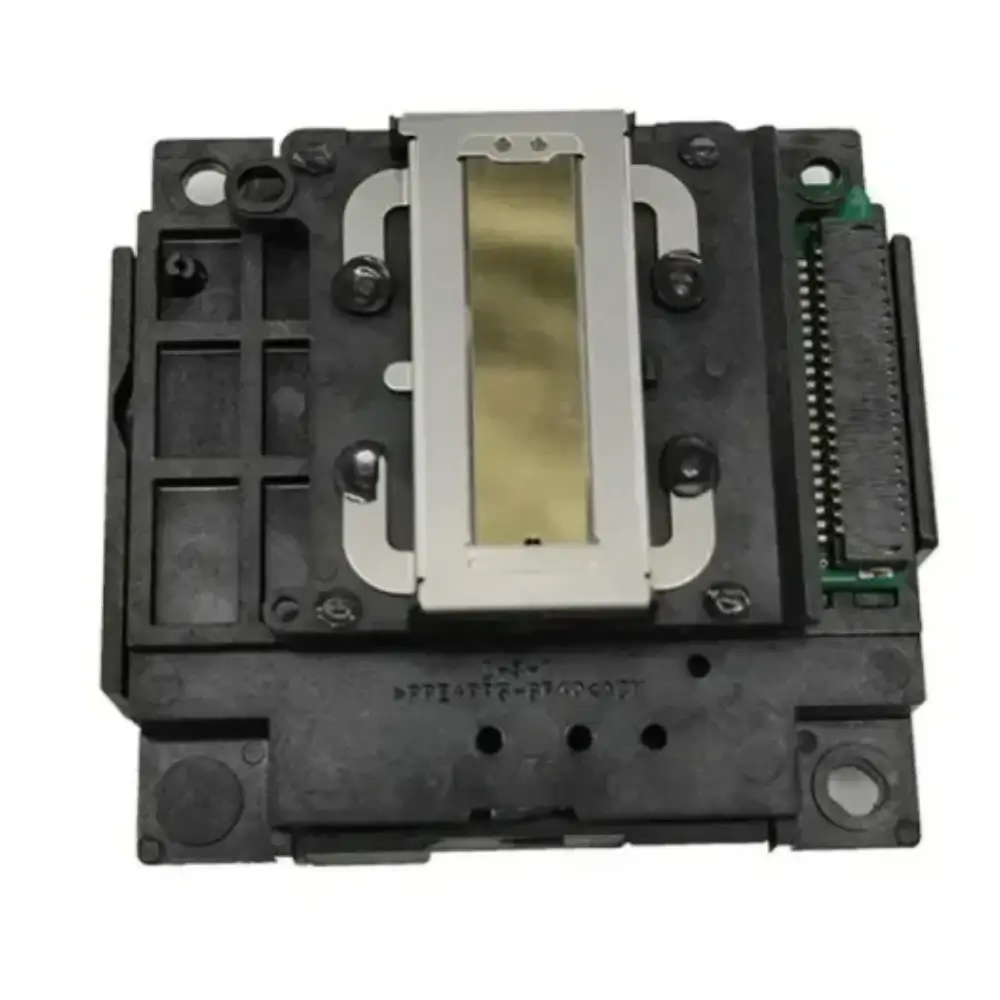
Epson L130 L3210 L3250 Replacement Print Head
BDT 5,230
Quantity
Streaky text, missing lines, and stubborn nozzle clogs usually mean your EcoTank printer's print head has worn out or suffered permanent burnouts. Repeated head cleanings waste expensive ink and rarely revive micro-piezo elements once they are physically damaged.
Installing a direct replacement print head restores razor-sharp documents and smooth color reproduction. It brings printers like the Epson L130, L3210, and L3250 back to factory print standards without the expense of purchasing a completely new printer.
Key Features of the Epson L130 & L3210 Print Head
- Precision Micro Piezo Technology: Delivers accurate droplet placement to eliminate horizontal banding and blurry character edges.
- OEM Specification Fit: Engineered to match the mounting brackets, ribbon cables, and ink manifold channels of your printer.
- Multi-Model Compatibility: Functions seamlessly across legacy and newer EcoTank series like the L130, L3110, L3150, L3210, and L3250.
- Consistent Color Channel Flow: Clear internal chambers distribute both black and composite color inks smoothly under continuous pressure.
- Cost-Effective Maintenance: Resolves hardware printing failures directly rather than replacing the entire printer assembly.
Why Choose This Epson Print Head
Print heads are sensitive components that suffer if exposed to air, low-grade third-party inks, or dry heat. While third-party refurbished units exist, they frequently suffer from short lifespans or dead nozzles straight out of the box. A fresh replacement head avoids frustrating trial-and-error diagnostics and guarantees consistent ink ejection.
Keep in mind that proper installation requires care. You must ensure the flat flexible cable (FFC) is clean and fully seated; a crooked cable can short-circuit the mainboard. If you are not experienced with printer disassembly, having an experienced technician mount the unit is strongly recommended.
Best Use Cases
- Reviving printers showing persistent missing colors after standard cleaning cycles.
- Fixing permanent banding caused by burnt-out micro-piezo nozzles.
- Refurbishing high-mileage EcoTank printers in busy office setups.
- Maintaining dedicated photo or document printing kiosks running continuously.
Epson Print Head Technical Specifications
| Component | Thermal Inkjet / Micro Piezo Print Head |
|---|---|
| Supported Brands | Epson |
| Supported Series | EcoTank / L-Series |
| Supported Models | L110, L130, L210, L310, L3110, L3150, L3210, L3250 |
| Ink Compatibility | Dye-based and pigment-based desktop ink |
Compatibility Guide
Compatible with standard Epson desktop EcoTank printers including L110, L120, L130, L210, L220, L300, L310, L350, L355, L365, L380, L3110, L3150, L3210, and L3250.
Installation Advice
Always disconnect power completely before opening your printer. Make sure the head cable has no ink spills or bent pins before inserting to protect your printer's logic board.
Frequently asked questions
What is the price of Epson L130 L3210 L3250 Replacement Print Head in Bangladesh?
The Epson L130 L3210 L3250 Replacement Print Head is priced at ৳5,230 in Bangladesh. It is available at GearyBD with cash on delivery across Bangladesh, subject to stock availability.
Will this fix blank pages or missing lines on my L3210?
Yes, if the issue is caused by blocked or burnt print head nozzles and your ink delivery tubes are functioning properly.
Can I install this print head by myself?
You can if you have experience disassembling desktop printers, but we recommend professional installation because improper cable connection can burn the mainboard.
Does this work with sublimation ink?
While the physical head handles sublimation inks, doing so increases wear and voids standard testing expectations compared to standard dye inks.
What is included inside the box?
The package includes one replacement print head unit inside protective packaging.
EPSON Store
More in-stock picks from this brand

Epson 001 T03Y2 Cyan Ink Bottle with Spill-Free Refill
৳740

Epson T6644 C13T664400 Yellow Ink Bottle 70ml
৳665

Epson T6643 Magenta Ink Bottle for EcoTank Printers
৳740

Epson T6642 Cyan Ink Bottle 70ml for EcoTank Printers
৳740

Epson 001 T03Y3 Magenta Ink Bottle 70ml
৳710

Epson T6641 Black Ink Bottle 70ml for EcoTank Printers
৳690

Epson 003 Black Ink Bottle with Spill-Free Refill
৳590

Epson SureColor SC-T3130X A3 Large Format CISS Printer
৳300,000


